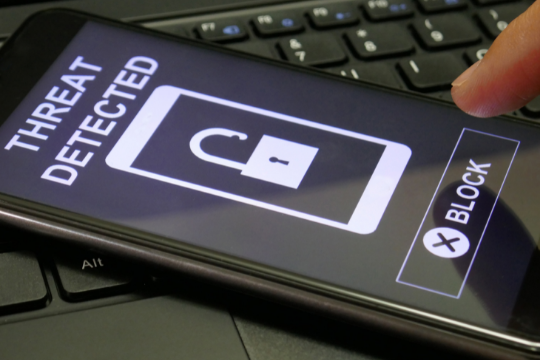
How O2O Businesses Can Combat Security Threats

security threatsAs an online business grows, its security risks can grow as well. However, with the appropriate security strategies in place, even an online business can have a strong defense against security threats.

The sheer number of security breaches hitting businesses every day only further stresses the importance of having a strong and smart security strategy.


How An O2O Model Reduces Security Threats

One of the most effective ways to combat the security threats that come with having a vast amount of data is by deploying O2O (online-to-offline) solutions such as QR codes and RFID (radio frequency identification).

QR Code: A QR code is a machine-readable matrix of black and white squares. QR codes are used for high-speed data transfer, linking to websites or even embedding business logins in small areas.

RFID: An RFID tag is a radio frequency identification device that consists of a small chip with an antenna. The purpose of the technology is to track goods.

QR codes and RFID tags both have a wide range of security features. For example, QR codes can be read by smartphones while RFID tags need to be scanned with the appropriate reader. In addition, QR codes do not include any back-end software or data storage locations that hackers can exploit, meaning that they’re much harder to hack into than RFID tags, which can store and transmit information.


But That’s Not All!

Although the O2O technologies mentioned above are helpful for reducing security threats, the sad truth is that businesses that have an O2O model are still exposed to a number of cyber threats.

Here are some examples of how online-to-offline businesses may suffer from cyber threats:


Man-in-the-Middle Attacks

In a man-in-the-middle attack, hackers intercept an ongoing communication session between two entities. In this case, the business server and your device. In order to do this, the hacker must be able to control the communication channel between the two entities.

For example, if a business owner sets up a free Wi-Fi hotspot in the store and asks customers to connect their devices to it so they can benefit from it as well, a man-in-the middle attack could take place if a hacker sets up a free WiFi hotspot with the same name and logo of the business.

When a customer connects to a fake hotspot, their device will think it’s actually connecting to the original business’s server, but in fact the connection is between an attacker’s device and your device, allowing them to intercept all sensitive information transferred between your device and the server.


Website Gets Hacked

The business’s website can be targeted by hackers who try to inject malware, ransomware and/or other types of viruses. Once the website is infected, all visitors who go there will be exposed to these threats.

Ransomware attacks can also target mobile devices through malicious links within phishing emails. If your business’s website gets hacked, you must act quickly and contact an information security company for help with cleaning the malware off of the website and any connected systems.


Third-Party Apps at Risk

If the business uses third-party applications for its daily operations, then it opens itself to vulnerabilities. This is because these apps are not owned by the business, which means it can’t control them all. Third-party applications also have a history of being hacked, so the potential issues with these types of apps are never too far away.

If the business’s website gets hacked, all third-party apps that are connected to it can also be exposed. Hackers will identify these third-party applications and try to exploit them one by one until they find a way into the system.


What Can Your Business Do to Combat These Risks?

Even though the business model is a great way for companies to grow, it also opens businesses up to a number of security threats.

In order to stay protected from these risks, online-to-offline businesses can follow these guidelines:

  • Maintain a strong backup system for your data and information.
  • Use complex passwords and two-factor authentication whenever possible.
  • Keep an eye out for suspicious activity from any device on your server.
  • Use a security solution that offers DNS protection and the ability to block IP’s and domains.

O2O solutions can help businesses maintain security by knowing their customers better. Knowing who they are is probably the most important factor in understanding what will make them interested in particular goods or services. By keeping up with technologies that offer new ways to collect and use data, an online-to-offline business can continue on a path of growth while being proactive about security.


Sunvera Software develops next-level software applications from start-to-finish. We are a premier software and mobile app development agency specializing in healthcare mobile app development, custom mobile app development, telehealth software, sales dashboards, custom mobile app development services, retail software development, supply-chain software, ecommerce, shopify, web design, iBeacon apps, security solutions and unified access software.

We are proud partners with Amazon AWS, Microsoft Azure and Google Cloud.

Schedule a free 30-minute call with us to discuss your business, or you can give us a call at (949) 284-6300.

What is Information Security? And Ways You Can Improve It

Information securityWhat is information security and how can one improve it? What do we mean when we say “information security”? Is everyone talking about the same thing when they use this term? Here, we will answer some of these questions.

 

What is Information Security?

Information security is a discipline that focuses on protecting information from unauthorized access, use, disclosure, disruption and destruction. It requires data to be confidential as well as authenticated. The security of your info means that only the right people have access to the right info at the right time for legitimate purpose. This is a very broad discipline as it deals with protection of all kinds of digital as well as non-digital information.

There are two main aspects involved in information security:


1. Confidentiality

Confidentiality means that only the authorized people are able to see or access something. For example, when you send an e-mail message to someone, confidentiality is ensured because you have limited who can read your email by using the appropriate mechanisms to encrypt it so that only the intended recipient is able to decrypt and view it.


2. Integrity

The integrity of info means that when people access something, they can see the correct version of data and not a ‘manipulated’ version which has been changed or altered from its original form either intentionally or by accident. For example, if someone visits an e-commerce site to purchase a new video game console, the person needs to be confident that he is seeing the correct price and not some altered version of it which has been changed by a cyber criminal in order to trick him into paying more than what the product actually costs.


Why is Information Security Important?

Information security is important for everyone involved in using, maintaining or handling information of all kinds. It is also important to organizations as it directly affects their brand value and image in the market. When an organization fails to protect its digital assets (information) properly, it can result in significant financial losses for that company.


Tips and Tricks to Improve the Security of Your Data

There are many tips and tricks that can be used to improve the security of your data. Here are some of the top ones:


1. Keep Your Systems Up-To-Date

Always make sure that you regularly update your operating system and other software you use regularly. The reason why many organizations fail to do this is because it takes up a lot of time and resources to make these updates and hence they end up skipping them and ignore security patches which are released regularly by the vendor.


2. Create Strong Passwords

You might be familiar with the phrase ‘passwords are dead’ as they lack security and can be easily guessed, but if you change your passwords regularly and create a strong one (make sure that it is at least 12 characters long and not like this: abcd1234), then you can keep yourself safe.


3. Use Anti-Virus Software

This is the easiest and most common way to protect your computer from viruses, malware and other threats that can harm your computer. However, you should not rely on anti-virus software alone, as it can’t detect or stop everything. You need a complete layered security approach which should include anti-virus software, anti-malware software, and web filtering solutions to protect your employees from visiting potentially harmful websites.


4. Avoid Public Wi-Fi Networks

Although it is tempting to use free public Wi-Fi networks when you are at an airport or shopping mall, it is not a good idea as these networks are not secure at all. Most of them are unencrypted and can allow hackers to access your traffic if you don’t take the necessary precautions. There are ways to be safe while using public Wi-Fi networks, but its best to avoid them as much as possible.


5. Always Double Check Before Clicking on Any Link or Attachment

You should never open any link or attachment from an unknown person as it might be a phishing email that looks like it has been sent by someone you trust, but actually is a link or attachment which can infect your computer with malware. You should always double check the email address of the person who sent it and if it seems to be weird, then do not click on any attached file or link in that email.


6. Use Two-Factor Authentication

Two factor authentication includes both the ‘something you have’ as well as ‘something you know’. For example, some devices or computers that are used to access a particular service might have a unique ID which is required to authenticate the user. Another common method is using a token generator which provides a temporary one-time password for accessing an online account.


7. Keep Your Personal Information Private

You should keep your personal information private and also keep it off social media as much as possible. For example, if you post a picture of yourself with a new car or bike on Instagram, then anyone can use that photo and claim to be you and apply for credit card in your name. So it is better to keep your personal information private.


8. Check Your Financial Statements Regularly

You should always check your monthly statements carefully for any unknown transactions or charges which might be unauthorized, if you notice that then immediately contact your credit card company or bank to report this fraudulent activity.


9. Use Privacy Protection Software

You should use ‘Privacy Protection Software’ to hide your IP address which is the digital fingerprint that can be used by hackers to identify who you are and where you are located. Using a VPN or Proxy Server for protecting your online activities is always recommended as it will keep all your internet traffic private.


Hackers are getting smarter day by day and they are using new methods to attack anyone. But you can stay safe by following the above mentioned tips for protecting your information online.


Sunvera Software develops next-level software applications from start-to-finish. We are a premier software and mobile app development agency specializing in healthcare mobile app development, custom mobile app development, telehealth software, sales dashboards, custom mobile app development services, retail software development, supply-chain software, ecommerce, shopify, web design, iBeacon apps, security solutions and unified access software.

We are proud partners with Amazon AWS, Microsoft Azure and Google Cloud.

Schedule a free 30-minute call with us to discuss your business, or you can give us a call at (949) 284-6300.

Cybersecurity for Small Businesses: Everything You Need to Know

cybersecuritySmall businesses are an easy target for cyber attacks. Their limited resources and lack of IT staff make it difficult to properly secure their data and adhere to cybersecurity guidelines. Cybercriminals are well aware of this and take advantage.

Small business owners would be better off hiring a professional cybersecurity firm to protect their company, rather than investing the time needed to understand IT security. But it is still vital for small businesses to recognize cyber risks and know what steps they should take every step of the way.


Why Small Businesses Especially Need Cybersecurity

Small businesses are considered high-value targets for cybercriminals because they possess more valuable data than larger companies.

Most small businesses don’t have the proper security solution in place, which makes them more susceptible to attacks than an enterprise with stronger security measures.


Prevent Attacks by Understanding Cybersecurity

When it comes to cybersecurity, small businesses are just as important as large enterprises. If your business does not have the time or expertise to invest in security measures, there is no reason to think you are exempt from cyber risk; on the contrary, you should be even more aware of potential dangers and take proactive measures.

If you fail to invest in IT security, you increase your chances of becoming a victim of a cyberattack.


Best Practices for Small Businesses to Prevent Cyber Attacks

There are a number of steps small businesses can take to secure their information and prevent an attack.


Install a Firewall

A firewall is perhaps the most basic security measure small businesses can incorporate to prevent external attacks. All incoming and outgoing traffic should go through the firewall, which will filter out any suspicious activity. If you’re not tech-savvy, consider hiring a consultant to get your firewall up and running.


Protect Your Devices

Make sure all of the devices that connect to the internet (computers, tablets, phones etc.) are protected with antivirus/antimalware software and are regularly updated.


Back-up Your Data

Backups serve as a safety net in the unlikely event that your information is compromised. Ensure you have a solid backup plan no matter what happens, whether it’s an internal or external data breach.

Back up all of your important electronic files either to an external source or to another location offsite so you can restore them if they are stolen, deleted or corrupted by ransomware.


Use Strong Passwords

A cyberattack can occur faster than you may think. Therefore, the easiest way to thwart an attack is by having strong passwords for your devices and accounts that are difficult to guess or hack. The longer it takes for an adversary to get into your system, the more time there is for security measures to take effect—and the more likely you are to be notified of an attack.


Create a Cybersecurity Policy

Many small businesses don’t have written security policies, but establishing one will reassure employees that the business takes IT security seriously. It also serves as proof of due diligence against cyber liability claims. A strong security policy should contain rules on password strength, what devices are allowed on the network, antivirus software installation and updates etc.


Be Vigilant About Security Breaches

If you suspect that your business may have been a target of a cyberattack, or if it has become the victim of one, immediately take these steps:  call the police so they can launch a formal investigation. Notify your insurance agent so they can review the policy and determine if you have coverage for cyber liability. Have a cybersecurity consultancy analyze your system to find any flaws or vulnerabilities that may have been exploited by hackers.


Consult Your Insurance Company

Call insurance companies to see if they offer any special cyber liability coverage or endorsements and tailor your coverage accordingly. If you don’t have an existing cybersecurity insurance policy, consider buying one now before a large-scale attack occurs.


Keep Up-to-Date with Security Measures

With all of the current cyber threats out there, it is important to stay abreast of what steps you can take to protect your business from them.  Security professionals recommend consulting reputable security or IT firms for assistance with your security measures.  And remember, small businesses should never attempt to go alone on IT security.

It’s undeniable that information technology has transformed the way we live and work. But these advancements have also introduced a variety of risks, which is why cybersecurity needs to become a priority for every business—regardless of its size. With this in mind, if you are a small business owner with questions about security, seek the advice of your employees or an IT specialist.


Sunvera Software develops next-level software applications from start-to-finish. We are a premier software and mobile app development agency specializing in healthcare mobile app development, custom mobile app development, telehealth software, sales dashboards, custom mobile app development services, retail software development, supply-chain software, ecommerce, shopify, web design, iBeacon apps, security solutions and unified access software.

We are proud partners with Amazon AWS, Microsoft Azure and Google Cloud.

Schedule a free 30-minute call with us to discuss your business, or you can give us a call at (949) 284-6300.

Custom Mobile App Development: How to Build Successful Apps

custom mobile appYou’ve been told that in order for your business to be successful, it needs a mobile app. But not just any mobile app — you need a custom mobile app that is tailored to your business and your customers. Something that your customers will use again and again when they are looking for a particular product or service.

Mobile apps are projected to bring in $935 billion in US Dollars worth of sales, in-app advertising, and paid downloads. That’s an incredible amount of money generated from targeted apps that your company or organization could be missing out on if you do not have a mobile app. 

Maybe it is time for your company to consider custom mobile applications and invest in custom mobile app development.


What is Custom Mobile App Development?

Custom mobile app development is where your company develops or hires a third party to develop a mobile app that is tailored specifically to your company’s and its clients’ or customers’ needs. Unlike generic apps that have the basics, your custom app will have features not found with other apps. Maybe it’s a special storefront, an estimate calculator, or even a game. Regardless, it’s important to have the app do what’s required to convince customers to contact you or purchase your products.


Why Custom Apps?

Your company most likely has a webpage. And the CEOs of those companies may think that is enough. But it is not. You see, by 2025, experts estimate that the number of mobile users will climb to 7.49 billion, up from 7.1 billion in 2021. Those mobile users have devices that require content that is built for the small screens of a smartphone or tablet. If your website’s layout doesn’t look right on a mobile device, chances are your potential clients are going to look elsewhere for a product or service. 

But not all mobile apps are the same. If your mobile app is generic and clumsy to use, your clients and customers won’t use it. If it is complex and not intuitive, they won’t use it either. And then, you have to think about not just the customers in your country, but across the globe. Is your product only interesting to English speakers, or do you have a broad base in other countries? Your app will need to be available in different languages to ensure that your international customers are able to use it.


Checklist to Building Successful Apps in 2021

Now that you know you should have a mobile app, you now need to know how to build successful apps. Even if your business plans on hiring the job out to a custom mobile app development company, you should plan out your mobile app strategy to develop your app. Here are some basic guidelines that may help you get started.


  1. Define your mobile app strategy. What does it need to accomplish? Who will be the users? What mobile platforms will you support? What do your competition apps look like? All these are important questions that need to be defined.
  2. Develop your requirements for your mobile app. What must it do minimally? What are nice to haves? Will it be launched in phases, or do you want the entire app’s functionality to be present at the current launch?
  3. Plan your development and launch. Do you need to have it ready by next year? Sooner? Are you creating your app in-house or are you having a third party develop it for you? Come up with a flow chart of how you want the mobile app to work.
  4. Create a working style guide to maintain consistency. Like publications, your mobile app will need to use a particular style every time to maintain consistency. For example, you may want to use 10 point Times New Roman as the main font and the style guide should state that this should be the main text. That way, your app doesn’t jar the user with an unexpected font, such as 20 point Arial Black. 
  5. Design the User Interface. Your users will first see the user interface, which is why this is a very important step. Choose the colors, layout, and other ways your app will appear to your customers.
  6. Design a viable workflow. Customers and users will have a variety of methods to interact with the mobile app. It is up to you to determine all the possible responses a customer may have in your mobile app and provide a response.
  7. Create a mock-up of your app. This can be a basic mock-up that gives you and your team an overall idea for what the mobile app looks like and behaves.
  8. Create a realistic prototype that can run similar to the final version. This allows testers and beta users to experience your app and determine if there are any changes necessary before going forward with the final design. 
  9. Choose your API, backend/server, and frontend mobile interfaces. The backend or server handles the database and monetary transactions. The API allows the mobile device interface and the server to interact. The frontend mobile device interface is what interacts directly with the user.
  10. Develop your App. At this point, you are ready to develop your app using all the previous steps. You will need to choose the development languages at this time. In many cases it will depend on what you chose for your server, API, and frontend.
  11. Test your app. Your app will have to go through rigorous testing including: functionality testing, user testing, security testing, performance testing, device and platform testing, and more.
  12. Deploy your app. Now is the time for the release! That means you’ll need to release your app to the Google Play Store and the Apple App Store. Both have guidelines for releasing apps there, so be sure to follow their rules. You also must plan on support for your new app and be flexible enough to make changes to grow with your customers.


If your organization or business is looking to maintain and grow your customers, it’s important that you have a custom mobile app. Whether you choose to design and develop a custom mobile app, or whether you hire a third party to develop your app, you will need to understand the design and development that goes into creating a mobile app for your business.


Sunvera Software develops next-level software applications from start-to-finish. We are a premier software and mobile app development agency specializing in healthcare mobile app development, custom mobile app development, telehealth software, sales dashboards, custom mobile app development services, retail software development, supply-chain software, ecommerce, shopify, web design, iBeacon apps, security solutions and unified access software.

We are proud partners with Amazon AWS, Microsoft Azure and Google Cloud.

Schedule a free 30-minute call with us to discuss your business, or you can give us a call at (949) 284-6300.

4 Essential Tips For Creating Successful Multiplayer Mobile Game

multiplayer mobile gameMobile gaming is a multibillion dollar industry, and a major part of that success comes from the multiplayer mobile games available. These are games that allow players to have some form of interaction with each other while playing on their devices either on their own or in real-time against humans or AI opponents.
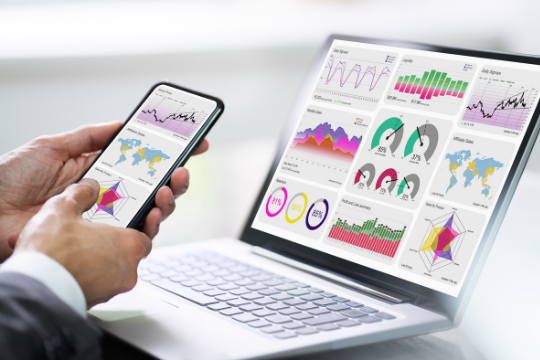
Multiplayer mobile games, also called social mobile games, mobile MMO games, mobile MMORPGs or mobile online games, allow players to experience the game with other users over mobile devices.

While mobile game development is constantly evolving every day with the introduction of new technologies and platforms that help developers to create better user experiences through immersive mobile gameplay, multiplayer mobile games are becoming even more popular due to the mobile technology, mobile app development trends and mobile user behavior.


Here Are Some Essential Tips for Creating Successful Multiplayer Mobile Games:


1. Make Registration and Login Simple and Easy

Even mobile games with the simplest gameplay and fewest features require registration and login. This can be challenging for mobile users who may not understand what is required to start playing. Make it simple, provide easy steps and let them know exactly what they need to do to play your mobile game.


2. Include a Non-Skip Tutorial That Shows Users How To Play the Mobile Game

Mobile gamers expect mobile games to be easy and intuitive. When designing mobile games for multiplayer mobile gaming, include a tutorial that shows players what they need to do in order to start playing. Some mobile games allow users to skip this process, but many mobile users appreciate the opportunity and engage with the game at a higher rate. Studies have shown that when a tutorial is included, engagement and usage significantly increases.


3. Display a Leaderboard of Winners for Each Game Play or Sub-Set

For mobile multiplayer games, displaying winners’ rankings is critical to increasing user engagement and retention rates. This is because mobile gamers are motivated by competition and often want to compare themselves with their friends or other mobile game users in order to see how they stack up against the rest of the world. When mobile game developers include this feature, mobile games see higher engagement rates.


4. Allow Either Limited Trial and Upgrade or Free Play and In-App Purchase

Mobile game developers should provide some kind of mobile game trial so mobile gamers can feel confident about their purchase before committing to it.  Some mobile games offer a limited trial with the option of upgrading to the mobile game’s premium offering.  Another mobile game monetization model is to offer mobile gamers the chance to play the mobile game for free and then include optional in-app purchases.


The mobile gaming industry has become one of the biggest technology markets, and mobile games are not only for entertainment purposes but also allow companies to promote their products, services and mobile apps.  With mobile game development companies offering developers new tools to create mobile games, gamers are expecting even more immersive mobile gameplay experiences than ever before.


Sunvera Software develops next-level software applications from start-to-finish. We are a premier software and mobile app development agency specializing in healthcare mobile app development, custom mobile app development, telehealth software, sales dashboards, custom mobile app development services, retail software development, supply-chain software, ecommerce, shopify, web design, iBeacon apps, security solutions and unified access software.

We are proud partners with Amazon AWS, Microsoft Azure and Google Cloud.

Schedule a free 30-minute call with us to discuss your business, or you can give us a call at (949) 284-6300.

10 Essential Sales KPIs to Measure With a Custom Sales KPI Dashboard

Sales KPIsAs a sales professional, you’re likely very familiar with the importance of KPIs.  But do you know which 10 sales KPIs (Key Performance Indicators) you should monitor and track?  Do you track them manually or there is a better way to monitor your sales performance on daily basis using some really useful sales reports?  Let’s see the 10 KPIs you need to monitor and track.

 

Custom Sales Dashboard: 10 KPIs to Track

Here are 10 KPIs that you should consider monitoring and tracking on daily basis to get a clear picture of your sales performance. You can easily track all these KPIs using an intelligent sales dashboard solution, which will also provide actionable insights that are necessary to maintain and improve sales performance.


1.  Sales Pipeline

Your pipeline gives you a clear view of what’s coming in the future and where things are now. If your pipeline is looking healthy, it means you’re on track with your sales activities and likely will meet your revenue goals for the quarter. On the other hand, a lack of pipeline means your sales team is slipping behind and likely you’ll miss your revenue goals.


2.  Leads Qualified vs New Leads

As a salesperson how many leads do you get each day? How many of them are new or qualified?  This is a good measure of the effectiveness of your sales team.  If you get more qualified leads, then your team is doing their job.


3.  Win Rate

Win rate shows how well reps are closing new opportunities.  It’s possible for a rep to make plenty of sales calls and close none.


4. Lead Conversion Rate

This measures how well your sales team is converting leads into closed opportunities. If this number is low, it indicates you should provide additional training to your sales reps on how to better qualify leads and turn them into clients.


5.  Opportunity Close Rate

What percentage of sales opportunities are closed?  A low close rate means sales reps aren’t bringing in enough good leads or not following up with them properly.


6. Sales Forecasting Accuracy

This KPI measures the accuracy of the forecasts your sales team is putting together to predict how much sales there will be in the future.


7.  Sales Cycle Length

How quickly are opportunities being closed? A long sales cycle means your team is having problems with converting leads into prospects and then into customers, resulting in lower revenue for your company.


8. Sales Team Productivity

This KPI measures how much time individual sales reps are spending on productive activities. Productivity can be measured by number of calls, emails sent, or meetings held each day.


9.  Cost of Sales Percentages

What percentage of revenue is being spent on sales and marketing? Understanding these costs can help you put together a budget for hiring more reps or increasing your ad spend.


10. ROI of Sales Activities

How much money are you making from your sales activities?

This KPI can be calculated by subtracting the total costs of sales from revenue. Once you have this information, you’ll know how much profit each sale is bringing and if its worth all the time and effort put into closing it. If these numbers look grim, then its time to either hire an outside sales rep or empower your reps to close more deals.


There you have it, the 10 most important sales KPIs that every sales person needs to monitor and track. If you’re not tracking these numbers then its time for a change!


Sunvera Software develops next-level software applications from start-to-finish. We are a premier software and mobile app development agency specializing in healthcare mobile app development, custom mobile app development, telehealth software, sales dashboards, custom mobile app development services, retail software development, supply-chain software, ecommerce, shopify, web design, iBeacon apps, security solutions and unified access software.

We are proud partners with Amazon AWS, Microsoft Azure and Google Cloud.

Schedule a free 30-minute call with us to discuss your business, or you can give us a call at (949) 284-6300.

Why Custom Mobile App Development is a Great Option for Your Business

custom mobile app developmentThe growing trends of mobile apps and devices as well as the advancements in technology have triggered a major increase in consumer satisfaction and created several business opportunities for entrepreneurs. This is why, every entrepreneur would like to establish an online presence that could help them secure their position on the market and connect with potential customers on a daily basis.

However, achieving this goal is harder than it seems.

In this competitive environment, creating an appealing strategy is essential for the success of any business.

In order to make a difference and stand out from the crowd, many businesses tend to invest in custom mobile app development services. The advantages of this service are numerous so it’s not surprising that more and more entrepreneurs start considering it as an option.


Mobile Apps Made by Professionals

First of all, developing a custom mobile app is not just about deploying an application. It’s supposed to represent your business so this is why it has to be up-to-date with the latest trends on the market and have advanced features that are capable of improving your business processes.

It’s also important for the app to be user-friendly and appealing to the eyes. This is why it’s crucial for developers to create an app that has a great design.

In addition, thanks to a custom built mobile app, you can improve your business processes and optimize them in order to meet the needs of your target audience more efficiently. In other words, when you have a custom mobile app, you can target better and achieve higher conversion rates.


Custom App Design: What Would You Need It For?

At first sight, mobile apps and websites might look like two different concepts that don’t have anything in common. However, the truth is that both of them provide users with useful information and help them complete daily tasks easily and without much effort.

For example, if you want to book a flight, all you have to do is open the app of your chosen airline company and find the desired flight. You will then be able to put in your reservation. The same concept works for online shopping as well. By just opening up your favorite online shop’s mobile app, you can enter your order just as you would do on the desktop version. Also, mobile apps provide better user experience than websites as they are specifically designed for mobile devices. They are small and lightweight, which makes them perfect for quick data browsing.

However, over the past few years, custom mobile app development has evolved into an efficient marketing tool that is used by many entrepreneurs to build powerful connections with their customers and generate substantial revenue.

The best thing is that custom mobile apps allow entrepreneurs to achieve multiple marketing goals. Some of the most common advantages associated with this service include:

  • Increase in sales: An app can be used to create brand awareness and provide users with useful information regarding your products or services. This way, users will learn about what you have to offer them, which is an excellent thing for business owners.
  • Personalized notifications: Providing users with coupons, discounts, vouchers, etc. Thanks to these alerts, consumers are more likely to visit your store and purchase something from you or at least establish a connection with you by using your app on a regular basis.
  • Improved user experience: The more apps are used, the higher conversion rates go. However, in order to make people use your app on a daily basis, it has to be appealing and easy to navigate through. That is why high-quality designs play an essential role when it comes to custom app development.


The Benefits of Mobile App Development for Your Business

There are several major benefits associated with custom mobile app development, such as:


Smooth User Experience

As mentioned before, mobile apps provide a smooth user experience as they adapt perfectly to the different screen resolutions and utilize the advanced features offered by mobile operating systems. On the other hand, websites tend to be less appealing and they often require time-consuming manual updates in order to keep up with the latest trends. For example, you might need to add a new design feature or implement some bug fixes.

Since custom mobile apps are specifically built for your business needs, they allow you to keep up with the latest trends and implement new features that would help improve your business.


Enhanced Cross-Device Functionality

If you choose to apply custom mobile app development services, the final product is likely to work on any device. This means that users would be able to access all your content anytime through their smartphones or tablets.


Convenient for Your Customers

Custom mobile apps are designed to deliver a seamless user experience and they can be personalized according to the client’s preferences. This makes them convenient for your customers as they would provide information faster and ensure better confidentiality levels when needed.


Attractive to Users: More Engagement and Higher Conversions

As previously mentioned, mobile apps are designed to deliver enhanced user experience. This makes them more attractive to users, which in turn leads to higher engagement levels and better conversion rates. Furthermore, custom mobile app development allows you to integrate your CRM system with the app so that you can get more accurate data regarding your clients’ preferences and needs.


Easy Access

Custom mobile apps are more accessible than websites as they can be installed quickly and easily. This allows you to increase the number of people that use your app on a daily basis, which helps you get more qualified leads. In addition, it is easier for your customers to make a purchase or complete a registration process from their smartphones than through your website.

Mobile apps are gaining popularity in the marketing world mainly because they allow you to create stronger connections with your customers and generate more revenue in a shorter period of time. Moreover, you can use them to enhance your business operations in different ways, such as by creating an online store where users would be able to easily browse for merchandise or services.

However, using custom mobile app development for business purposes is not something that can be achieved easily. This is why it is crucial to find a reliable company that would build the desired product according to your requirements and preferences, as well as within an agreed budget.


Sunvera Software develops next-level software applications from start-to-finish. We are a premier software and mobile app development agency specializing in healthcare mobile app development, custom mobile app development, telehealth software, sales dashboards, custom mobile app development services, retail software development, supply-chain software, ecommerce, shopify, web design, iBeacon apps, security solutions and unified access software.

We are proud partners with Amazon AWS, Microsoft Azure and Google Cloud.

Schedule a free 30-minute call with us to discuss your business, or you can give us a call at (949) 284-6300.

How to Choose the Best Telemedicine Software in 2021

telemedicine softwareThe need to improve access to healthcare is pressing; it’s one of the most important issues in public health today. Telemedicine software is gaining popularity as a way to provide better care from farther away. It has been used for decades, but advancements in technology have streamlined the process and made it more accessible.

Telemedicine software provides a platform so patients and doctors can interact remotely through video conferencing or instant messaging. The software is an important part of telemedicine; without it, doctors and patients can’t communicate. It’s also useful for digital health records and data collection, which helps to manage information like stress levels or diet.

But with so many software options available now, how do you choose the best telemedicine software for your practice?


Choosing the Right Telemedicine Software for Your Organization: What To Look For

Telemedicine is an important consideration for countries that want to improve their public health initiatives. It’s not just about access to care. If patients can consult doctors virtually, fewer people will seek help at the ER or urgent care centers for non-emergency problems. This gives those facilities more resources to handle true emergencies and reduces unnecessary expenses for the patient.

Rising healthcare costs affect everyone. That’s why choosing telemedicine software is important to future-proofing your practice and making it more efficient to drive down costs.

What are some things patients should consider when looking at telemedicine software?

There are a lot of telemedicine software in the market. It comes down to finding something that fits your practice best. It is important to think about how you work and what features you need, such as:

How does the telemedicine platform integrate with other platforms in your office such as for intake forms or scheduling?

Is the telemedicine software HIPAA-compliant? What are their security protocols?

Do they have an app for smartphone use by patients who don’t need to video conference with doctors, but want to interact remotely using instant messaging or uploading photos of symptoms?

How much does the platform cost and what are your options for payment?

Does the software have a good reputation in the medical community and with medical regulators, such as the US Federal Drug Administration (FDA) or equivalent bodies in your country? Do you know of similar organizations that have had positive experiences with it? Is there a robust support system if you have questions about how to use it better?

How likely is it that the software will be around and able to meet your needs in five years?

What About HIPAA Compliance, Security Protocols, and More?

It’s important to choose telemedicine software that fits with current healthcare regulations. The U.S. has the Health Insurance Portability Accountability Act (HIPAA), which sets standards for medical data confidentiality and security. Telemedicine software is important to ensure the flow of information is secure, such as between doctors and patients or patient-doctor interactions with payment companies.

Many telemedicine software platforms now operate with HIPAA compliance in mind; they offer encrypted connections using industry standard algorithms, multi-factor authentication, and audit trails. Make sure to look for these details when considering telemedicine software options.

HIPAA compliance is also important if you plan to bill for your services using electronic transactions, like claims submission or invoice generation.


Final Thoughts

As telemedicine becomes more popular, the focus is now on software platforms that are easy to use. They shouldn’t require a heavy learning curve or demand IT resources to make them user-friendly for doctors and staff.

This also means it’s never been easier to choose telemedicine software to fit your practice needs. Many options are now online, where you can create a free account and try out the user interface before committing to anything.

The best telemedicine software makes it easier for your organization to reach more patients in a cost-effective manner, so they can receive appropriate diagnosis and treatment for their condition. Technology is making it possible for patients with special needs or living in remote areas to have access to care they may not have been able to receive before.

Selecting a telemedicine software platform is a great way for your practice to future-proof itself so it can continue providing exceptional patient experiences in the years ahead.

In the end, physicians need software that seamlessly integrates with their workflows and meets the demands of their patients.


Sunvera Software develops next-level software applications from start-to-finish. We are a premier software and mobile app development agency specializing in healthcare mobile app development, custom mobile app development, telehealth software, sales dashboards, custom mobile app development services, retail software development, supply-chain software, ecommerce, shopify, web design, iBeacon apps, security solutions and unified access software.

We are proud partners with Amazon AWS, Microsoft Azure and Google Cloud.

Schedule a free 30-minute call with us to discuss your business, or you can give us a call at (949) 284-6300.

Supply Chain Optimization: Best Practices and Tips

supply chain optimizationSupply chain management (SCM) is the process by which companies create value for their customers. It begins with a supplier of raw materials and finishes with a customer who receives a product. In order to ensure the supply chain functions properly, supply chain optimization focuses on stocking levels, transportation of goods from suppliers to retailers, and how retailers manage which products to stock.

Supply chains require constant management and tweaking in order to get the most optimal results (i.e., greater revenue and profits). A supply chain starts with manufacturers, distributors and retailers and can include raw material suppliers, factory workers, transporters of goods (trucks or railroads), wholesalers, and retailers. All of these workers contribute to a supply chain that will be used by customers.

There’s a lot going on in supply chains, and many things can go wrong, from just-in-time delivery to replenishment orders falling too early or too late in the process. In order to run an efficient supply chain, there are a number of best practices that should be implemented.


Supply Chain Optimization Best Practices

The following is a list of the top ten supply chain management tips:


1. Partner With a Logistics Provider

Finding a good supply chain partner to assist in the planning and execution stages of supply chain optimization will help you create an efficient supply chain. A logistics provider can help you with warehouse management, transportation management, and material handling.


2. Implement a JIT System

A just in time (JIT) system is crucial to an efficient supply chain. It can be difficult to manage large warehouses when you’re waiting for goods; instead of keeping the goods until they are needed, it’s beneficial to have a JIT system that allows you to receive goods when you need them.


3. Use RFID Tags

Radio-frequency identification (RFID) tags can be attached to pallets and cases so your company can track product location and shipping in real time. If either the tag or the product is damaged, you can identify it quickly.


4. Utilize Customer Data

Your customers’ buying habits will determine inventory management and warehouse stocking. Although it may be difficult to get your customers to provide you with data, there are programs that allow you to connect their profiles to the items they have bought in the past. This is very helpful for forecasting future demand.


5. Strive for Transparency

If you don’t know how much your company is spending on goods, it’ll be difficult to improve the supply chain. You may not realize that something isn’t working well until you see the figures; then, you can make changes to fix problems and create an efficient supply chain.


6. Conduct a Full-Scale Analysis

In order to optimize your supply chain management, you have to consider whether the products are arriving on time; if they aren’t, you need to figure out where the problem is. Is there too much product? Not enough? You can only make changes to improve the supply chain if you know what’s wrong with it in the first place.


7. Keep Transportation Costs Low

Transportation costs can make or break your supply chain’s success, especially when you’re sourcing domestically and internationally. These costs include everything from shipping to freight forwarding; once they’re set up, you’ll need transportation software that makes the cost optimization process easy.


8. Set Up an Efficient Warehouse

Warehousing may not be the most glamorous part of supply chain management, but it’s vital. A warehouse is where shipments are received and stored until they’re ready for distribution or use by your customers. You’ll need to set up tracking software so you know what’s in your warehouse at all times.


9. Track Everything

It’s impossible to optimize a supply chain if you aren’t tracking items as they move from one part of the system to another. You’ll need to make sure that everyone involved in transporting goods is using the same software, and that this software is up-to-date.


10. Give Your Employees a Say

It might be beneficial to give employees a voice in the decision-making process. Making them feel like they’re part of an important aspect of your business can help improve morale and create a more efficient supply chain at the same time.


A well-run supply chain can help you succeed in business. By following the ten tips outlined above, you’ll be able to create an efficient supply chain that works for your business’ needs.


Sunvera Software develops next-level software applications from start-to-finish. We are a premier software and mobile app development agency specializing in healthcare mobile app development, custom mobile app development, telehealth software, sales dashboards, custom mobile app development services, retail software development, supply-chain software, ecommerce, shopify, web design, iBeacon apps, security solutions and unified access software.

We are proud partners with Amazon AWS, Microsoft Azure and Google Cloud.

Schedule a free 30-minute call with us to discuss your business, or you can give us a call at (949) 284-6300.

8 Ways Your Retail Software Can Help You Sell More

retail softwareIf you work in retail, chances are you use some kind of retail software to manage your business. If this is the case, congratulations! You’ve taken an important step towards running a better business. Not only can retail technology help you be more organized and efficient, it can help you sell more stuff. Here are eight ways that your retail software can help you sell more.

 

1. Inventory Management

Retail software can put you in sync with your stock. You can easily see what’s selling well, what isn’t selling at all, and how much of each product you have left on hand. This means no more guesswork when creating plans for ordering new inventory – if the numbers are there to support it, you can be confident in what you’re ordering and how much of it to order. This also means no more trying to sell out-of-stock items, or having dead stock (products that you have sitting in storage but aren’t moving). You want your retail store to be filled with the right products for its intended purpose, and when you have the right data to inform your buying decisions, you can be sure that your store is always stocked with what will sell.


2. Staffing Decisions

Retail software should also allow you to make better staffing decisions. If specific products are selling well or not selling at all, you might need more staff on hand for customer support and stocking. If specific products aren’t selling as well as others, this is a good indication that you might need to re-evaluate pricing or even discontinue the items being under-purchased. Again, having the right data at your disposal allows for informed decision making that can keep customers happy and staff members productive.


3. Marketing Decisions

Retail software can help you in terms of marketing. Likely, the retail software in use contains some kind of customer relationship management (CRM) module that allows for tailored messaging to different individuals based on specific preferences and shopping patterns. This feature is especially helpful when combined with the ability to track email open rate within your CRM system – an email marketing campaign that’s not delivering a high open rate isn’t going to help you sell more stuff, so it should be adjusted or discontinued. Retail software allows for a better understanding of what your customers want and how best to communicate with them in an effective way – this is one of the best ways to improve your bottom line.


4. Analytics

Analytics are a huge part of retail software. After all, the point is to extract information from your business and make it actionable in order to improve performance. Analytics can help you optimize pricing, plan for future inventory needs, identify products that aren’t selling very well but just might be with a few changes, and so on. When you have a better understanding of how your business is performing and where it can be improved, you’re able to make those improvements happen more quickly.


5. Cloud Functionality

Cloud-based retail software allows for features such as back up capabilities, remote logins (from home or on the go), and real-time data sharing between users. These are very important in terms of keeping your business running smoothly. What’s more, when you work with a retail software provider that operates solely in the cloud, there will be no need to adjust to new versions – they’ll always become available for immediate use.


6. Integration

Retail software should ideally integrate with other systems within your business, making it easy for users to enter data and retrieve information (i.e., sales) regarding specific products, customers, employees, etc. Retail software should make transferring data between systems as easy as possible through API integrations or other means of interconnectivity. This way you’re able to use your retail software in conjunction with accounting software, inventory management software, and other business software you might already be using.


7. Real Time Access

Your retail software should allow for real time access to information (such as sales and inventory data). You shouldn’t have to wait hours or even minutes to see which customers bought what products and whether those individuals are at risk of defecting from your brand because they haven’t made a purchase in three weeks (or whatever time frame you choose to use). With accurate and up-to-date information, decisions can be made in real time – whether it’s about staffing, marketing campaigns, or something else.


8. Scalability

Retail software shouldn’t limit your business from growing its customer base or expanding its product catalog. Scalability means that your business can continue to expand and evolve without it affecting the software itself. Retail software should remain functional and useful no matter how big or small your business becomes – whether you add 100 employees or 10,000 in a span of five years, the software should accommodate for your needs.


Retail Software Best Practices

Retail software is all about improving your business while keeping things simple. Software providers should offer intuitive, user-friendly interfaces that don’t require lengthy training sessions in order to understand how to use them properly. The ideal retail software will act as a central hub for your entire company – you’ll be able to see everything at once through one program rather than having to bounce around between different platforms and software. It should also be easy to access from anywhere, whenever you need it.

The risks of using retail software that doesn’t meet these standards are pretty clear – your business will ultimately suffer as a result. You won’t know where revenue is coming from or going, how best to allocate resources and personnel, or anything else that is vital to the success of your business. Retail software should help you save time and money rather than draining your resources while serving as nothing more than a platform on which to sell products.

The best way to ensure this is by working with a retail software provider that offers intuitive user interfaces, scalability, and complete integration with other systems your business is currently using.

Retail software can be beneficial to your business year-round by streamlining processes, reducing costs, and increasing productivity. Retail software providers have taken note of this shift in focus and have responded by developing platforms that are used by many modern retailers to manage their online, brick-and-mortar, and omni-channel businesses.

While retail software should certainly help streamline your business operations, it’s also important that the provider offers user-friendly interfaces that don’t require lengthy training sessions in order to understand how to use them properly. Additionally, you should be able to see all of your company’s information in one program rather than having to bounce around between different platforms and software. Otherwise, you’ll find yourself wasting valuable time and money troubleshooting problems and errors when the system fails.


Sunvera Software develops next-level software applications from start-to-finish. We are a premier software and mobile app development agency specializing in healthcare mobile app development, custom mobile app development, telehealth software, sales dashboards, custom mobile app development services, retail software development, supply-chain software, ecommerce, shopify, web design, iBeacon apps, security solutions and unified access software.

We are proud partners with Amazon AWS, Microsoft Azure and Google Cloud.

Schedule a free 30-minute call with us to discuss your business, or you can give us a call at (949) 284-6300.