Companies today are under pressure to move faster with the documents that drive their operations. RFQs, invoices, contracts, engineering drawings, compliance records, and vendor paperwork all contain valuable information — but most of it lives in formats that are hard to process at scale.
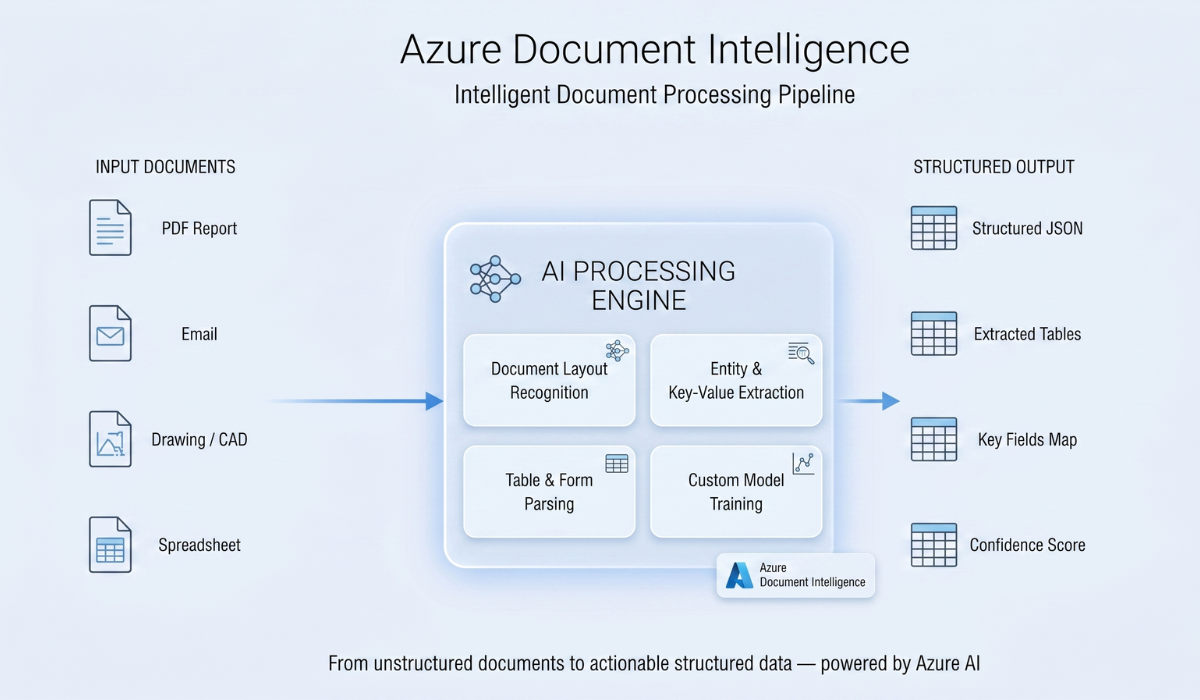
That is why tools like Azure Document Intelligence are getting so much attention.
They can extract structured data from unstructured files, reduce manual entry, and make documents easier to search, review, and summarize. For many organizations, that is an important first step.
But it is still only a first step.
The Real Problem Is Not Reading Documents
Most businesses do not struggle simply because documents are hard to read.
They struggle because once the document is understood, someone still has to decide what matters, compare it to past work, determine risk, involve the right people, and move the process forward.
That is where many implementations fall short.
A common rollout looks like this:
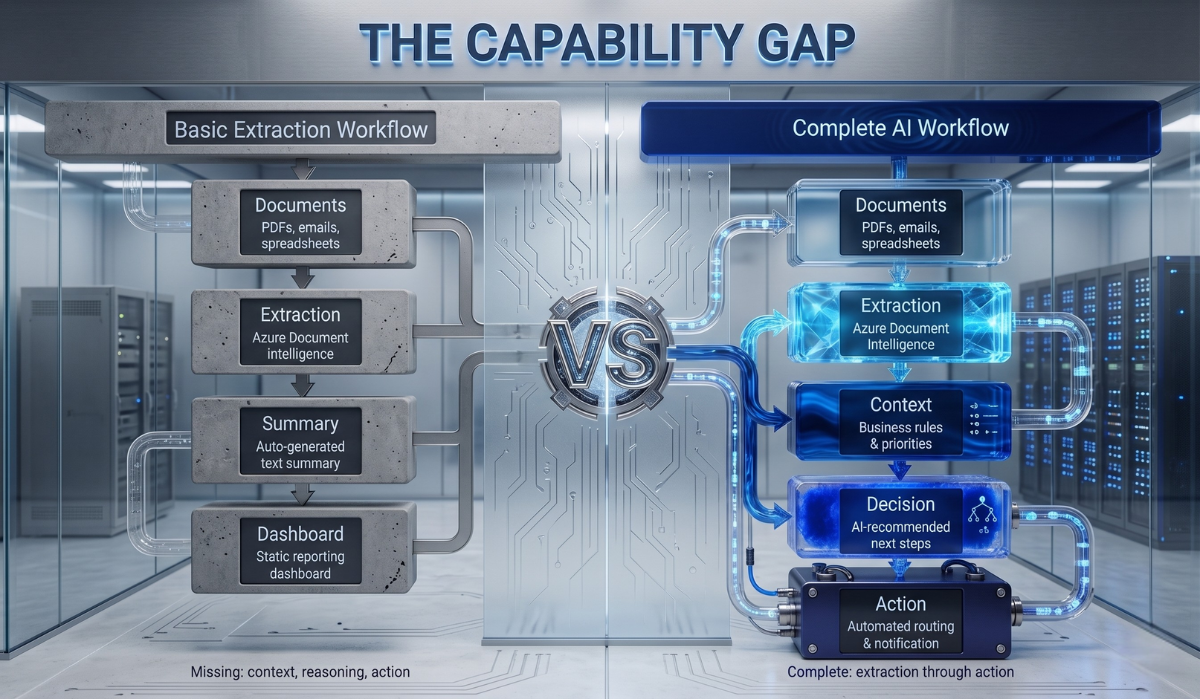
Documents → Extraction → Summary → Dashboard
Everything appears better organized. Teams can see key fields faster. Summaries reduce time spent reading. Dashboards look cleaner.
But business outcomes often do not improve at the same pace.
Quotes do not always go out faster. Approvals still get delayed. Engineers still get pulled into manual reviews. Operations teams still spend time figuring out what happens next.
The reason is simple: extraction is helpful, but it does not replace decision-making.
Where Standalone Document Intelligence Hits a Wall
Document intelligence tells you what is inside a file.
It does not automatically tell you:
- What should happen next
- Which data matters most in this situation
- How this compares to similar past cases
- Whether the request is high risk
- Who should act on it
- How to trigger the next workflow step
Even summarization does not solve this. A summary can make a document shorter, but it does not turn that information into judgment, action, or workflow momentum.
That missing layer is what separates a useful document tool from a real AI-driven business system.
Visualizing the Gap
Here is the difference between a basic implementation and one that actually changes operations.
What many companies build:
Documents → Extraction → Summary → Dashboard
This improves visibility, but often leaves the hardest work untouched.
What companies actually need:
Documents → Extraction → Context → Decision → Action
That middle section is where transformation happens.
- Context means connecting the document to historical records, business rules, product data, pricing logic, engineering constraints, and operational priorities.
- Decision means helping teams determine the right next move based on that context.
- Action means routing, triggering, updating, notifying, or completing work — without making people manually bridge every step.
A Practical Example: RFQ Workflows
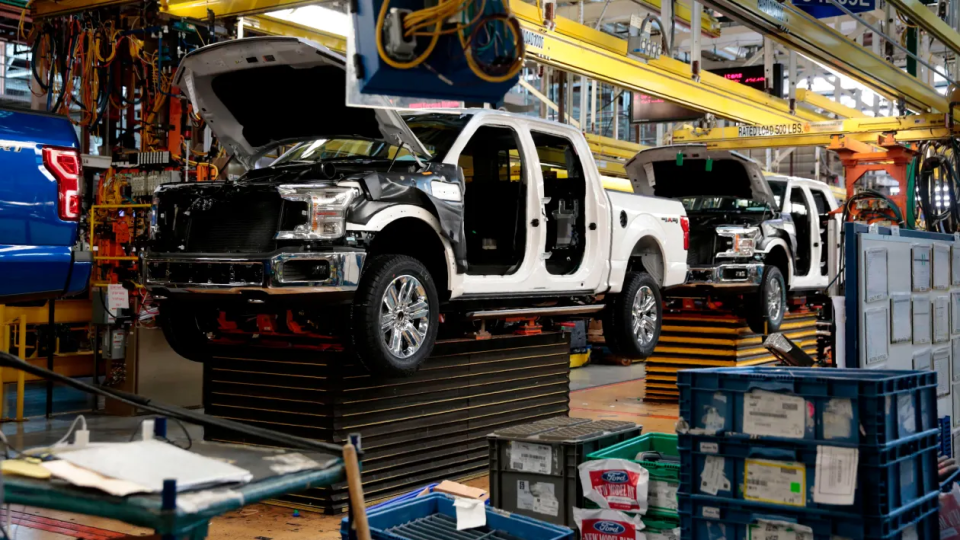
This gap becomes especially visible in manufacturing and sourcing workflows.
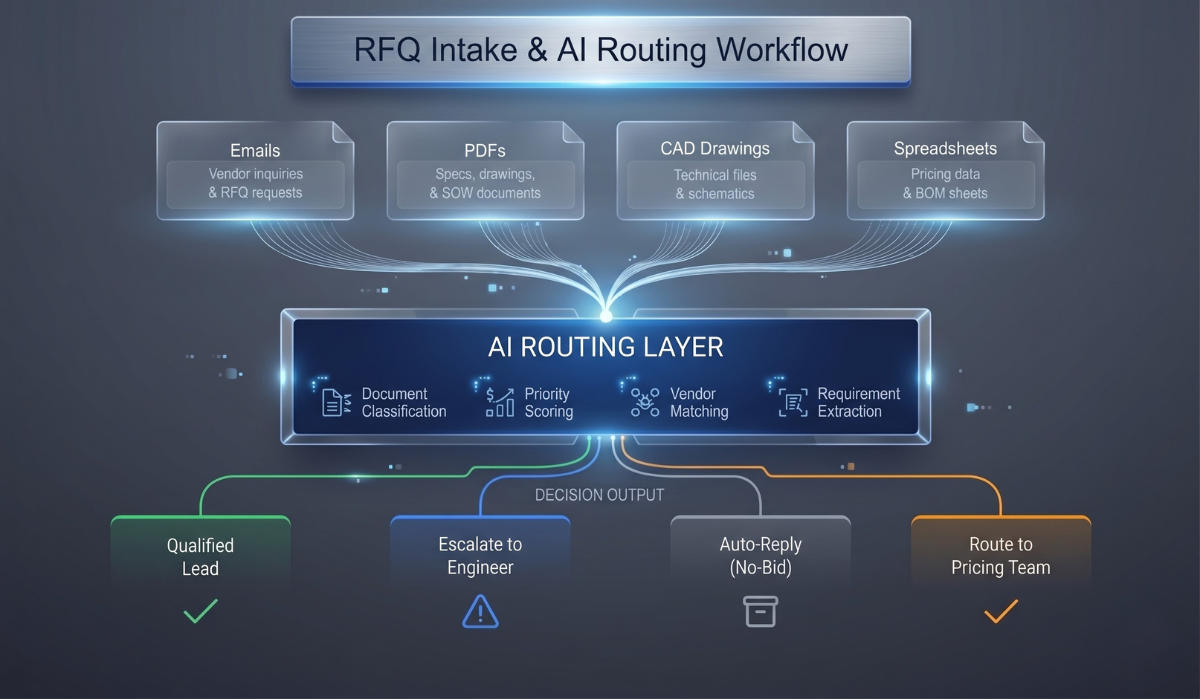
An incoming RFQ may include emails, PDFs, drawings, specifications, and supporting notes. Azure Document Intelligence can extract data from these materials and even summarize them. That is useful.
But quoting still depends on much more than extraction. A team may still need to:
- Compare the request to similar past jobs
- Identify technical or commercial risks
- Estimate pricing ranges
- Determine internal fit and feasibility
- Send the request to the right estimator or engineer
- Decide whether to bid at all
If those steps are still manual, then the company has not really automated the workflow. It has only improved the front end of it.
Why This Matters Now
This is not just a technical distinction. It is a competitive one.
Many companies are currently investing in document intelligence as though it is the finish line. In reality, it is the foundation.
The companies that move ahead will be the ones that build the next layer on top of it: systems that do not just read documents, but help teams make better decisions and act faster.
Over time, the difference compounds.
One company becomes better at organizing information.
Another becomes better at operating.
The second company wins.
How Sunvera Approaches This
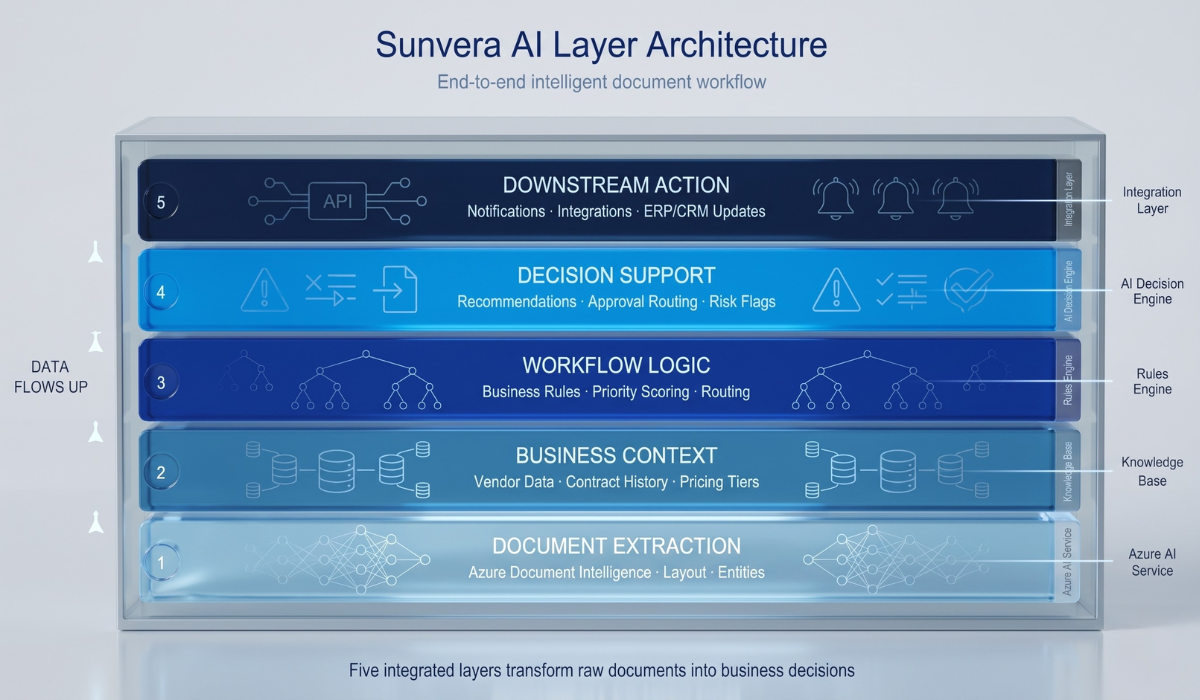
At Sunvera, we see document intelligence as one part of a larger AI workflow.
The real goal is not just to extract information from documents. The goal is to help businesses move from document intake to business outcome — with less manual effort, better consistency, and faster execution.
That means designing systems that combine:
- Document extraction — accurate capture of structured and unstructured data
- Business context — connecting documents to historical records, rules, and priorities
- Workflow logic — routing work to the right people and systems automatically
- Decision support — surfacing the right information at the right moment
- Downstream action — triggering approvals, updates, and notifications without manual handoffs
When those layers work together, AI stops being a document-reading tool and starts becoming an operational advantage.
The Takeaway
Azure Document Intelligence is a strong capability. It solves a real problem, and for many organizations it is the right starting point.
But by itself — even with summarization — it is not enough to transform a workflow.
Real value comes when extracted information is connected to context, decisions, and action.
That is the difference between making documents easier to read and making the business faster to run.
Want to Go Beyond Document Extraction?
Sunvera helps companies build AI systems that connect document intelligence to real workflow outcomes — from RFQs and operations to approvals and decision support.
Talk to our team to explore how document-driven AI can work inside your business processes, not just on top of your files.