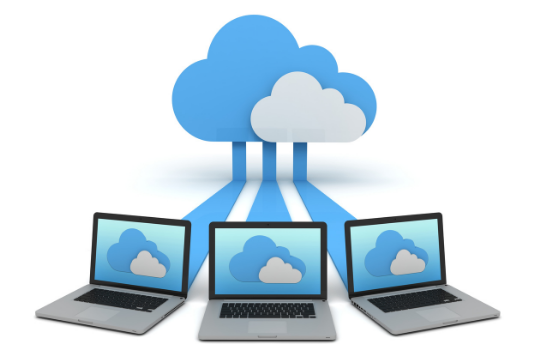
 The amount of data lost to cyber-attacks or simple negligence is staggering. It’s absolutely critical that you backup your important files, but the question remains: where do you store them? The answer – cloud backup – can be a hard sell for some folks. If this sounds like you, then take a look at the reasons below and see if you need to make the switch.
Why Businesses Should Back-Up Data on Cloud
There’s no doubt about it – keeping your data safe is one of the most important parts of working on a computer. But, with so many ways to store information available, which should you choose? If security and reliability are some of your top concerns, then you need to back up your files on cloud. Let’s go over seven reasons why.
1. Enhanced Security
Something as simple as a hard drive failure can be a catastrophic event for your business. Without a regular backup regimen in place, you could lose everything from client documents to proprietary software that took years to develop. The importance of securing your data cannot be overstated, and cloud storage provides the most effective form of protection possible by storing your data off-site.
2. Faster Recovery
A company that loses their data faces potentially insurmountable odds of recovering without the assistance of effective backup software. If you’re lucky, you can purchase a new hard drive and reinstall your proprietary software, but restoring client files via this method is not only time consuming but entirely unpredictable. With cloud technology, the likelihood of a timely and complete restore is drastically multiplied.
3. Instant Access
When your hard drives crash, clients often expect you to have already been taking steps to back up their data even before they needed it themselves. If you’re not working with cloud technology, this could be an impossible task – but any company using the cloud can guarantee their clients instant access to their most important data.
4. Ease of Use
Cloud backup software is making big waves in the business world because it’s just so easy to use. Even if you’re not an IT professional, you can easily manage your backups with a few clicks of your mouse or swipes on your smartphone screen. The time investment for this level of functionality is almost zero, and the benefits can be exponential.
5. Cost-Effective Storage
When you’re running a business it’s hard to justify spending top dollar on software that doesn’t directly contribute to revenue generation. Cloud storage provides the best bang for your buck because you won’t need to purchase additional hardware or physical storage devices. Instead, your data is stored off-site so you only pay for the storage space you need.
6. Unlimited Backup Capacity
Having enough storage space for your files is absolutely essential, but it can be difficult to predict future data needs. With cloud backup solutions, you’ll have the ability to scale up or down as needed. You don’t have to buy more storage than you need now, and if your needs should increase, you’ll have the necessary resources available immediately. Even if you’re running low on space, your cloud provider can simply add additional storage space to their servers in minutes.
7. Collaborative Backup
Collaboration has revolutionized the way we work in countless industries, and is poised to do the same for business data backup strategies in the near future. With cloud technology, you and your company’s employees can easily access the same information from any device with an Internet connection at any time. This will allow teams to work more efficiently than ever before because they’ll never have to waste valuable time hunting down data.
Taking the time to back up your data on cloud is well worth it for any business. Not only will you be able to collaborate more effectively with colleagues, but your productivity won’t take a hit when things inevitably go wrong. With so many benefits at stake, what are you waiting for?
Sunvera Software develops next-level software applications from start-to-finish. We are a premier software and mobile app development agency specializing in healthcare mobile app development, custom mobile app development, telehealth software, sales dashboards, custom mobile app development services, retail software development, supply-chain software, ecommerce, shopify, web design, iBeacon apps, security solutions and unified access software.
We are proud partners with Amazon AWS, Microsoft Azure and Google Cloud.
Schedule a free 30-minute call with us to discuss your business, or you can give us a call at (949) 284-6300.
 If you work in information technology, chances are that your organization has a ton of “bits” of information at rest with little to no security. In other words, most organizations have a trove of data sitting on servers and backups waiting to be exploited by those who may wish harm upon them.
 In a world filled with smart devices, it’s extremely important for businesses to have a unified access system that can support all kinds of users and devices. Unfortunately, this kind of system is often out of reach because the costs associated with setting one up are too high. However, businesses should look no further than unified access to get exactly what they need.
 It’s no secret that passwords are often breached, stolen, guessed, reused and simply forgotten. While they’re still the most common form of authentication for companies worldwide to control access to their systems and applications, passwordless access can improve security over the traditional username/password model by removing the human factor from the authentication process. In this article we’ll discuss the fundamentals of passwordless access, how it works, and steps involved for implementation.
 Passwordless access is becoming more widespread, with Google’s recent announcement about moving towards ‘no passwords’. Businesses are already using passwordless access for many reasons. But how helpful can it be? Is it worth investing time and money into this method of security?
 The ability of providers and patients to access and share health data securely places a large responsibility on the healthcare IT professionals who develop EMR, PM, and billing systems. In order for telehealth to be successful, strong information security is needed. As more healthcare records move online with applications such as HealthVault and GenieMD, concerns remain about the ability of these technologies to keep security intact. Critical components of information and data security in
  As an online business grows, its security risks can grow as well. However, with the appropriate security strategies in place, even an online business can have a strong defense against security threats.
 What is information security and how can one improve it? What do we mean when we say “information security”? Is everyone talking about the same thing when they use this term? Here, we will answer some of these questions.
 Small businesses are an easy target for cyber attacks. Their limited resources and lack of IT staff make it difficult to properly secure their data and adhere to cybersecurity guidelines. Cybercriminals are well aware of this and take advantage.
 You’ve been told that in order for your business to be successful, it needs a mobile app. But not just any mobile app — you need a custom mobile app that is tailored to your business and your customers. Something that your customers will use again and again when they are looking for a particular product or service.