
Trendiest News in Tech

Voice Search in eCommerce: How it is Transforming Retail

voice searchA couple of years ago, voice search was just a distant dream. Now it is slowly gaining traction and slowly transforming retail. Many marketplaces are on the verge of seeing more mobile searches on home devices rather than traditional mobile search. Voice search is definitely here to stay, with 41% of adults using it at least once a day (DBS Interactive).


Challenges and Opportunities for Retailers and Customers

Voice search poses several challenges and opportunities for eCommerce business owners, marketers and SEO’s. Challenges include getting your website to rank in results, building content that is optimal for voice searches, and more.

Opportunities are abundant, with voice search driving more traffic to websites, higher conversion rates and increased sales. With voice search, Google Assistant will be able to respond with rich results which it expects to be images, videos, direct answers and much more.

A retailer would need to ensure that their website is mobile friendly, fast loading and easy to navigate. They also have to optimize their site for local search rankings.


Best Practices for Voice Search Success

  • Make sure your site is mobile responsive! With voice search on the rise, there will be less traffic coming via traditional desktop searches so it is important to make sure your website looks great on all devices, especially home devices like Google Home. Start considering how you can optimize your site for voice search.
  • Make sure your site is indexable! This means that you should have all the content on your website structured in a way that Google will be able to understand and properly crawl. For example, avoid using JavaScript or Flash. If they aren’t rendered by Google crawlers they won’t be picked up and indexed.
  • Optimize for local search! Since the results from voice searches will likely be local, it is important that you optimize your site as such. Make sure your site is geo-targeted with keywords in city names and addresses, ensure you have a Google My Business page with accurate information and ensure your address shows up clearly on your website.


Marketing Your Site for Voice Search Success

There are already several ways marketers can improve their chances of earning good rankings with voice search. Marketers should focus on the following:

  • Keep it simple! There is no space for long content or multiple questions and answers. Keep your content clear with simple language that anyone can understand.
  • Address different types of questions! Since voice search is still in its early stages, no one can predict what sorts of questions it will be able to answer. Make sure your site provides answers to a wide range of commonly asked questions and keep content up to date with the latest trends.
  • Use clickable links in your content! Provide clickable links in your content that will take the user to other relevant content. This is especially important if you are doing product descriptions, explain what users can expect to find on your site.


Applying Voice Search to Your eCommerce Store: Where to Start

There are several steps retailers should take before they start focusing on optimizing their eCommerce sites for voice search. However, retailers that start optimizing their site now stand the best chance of getting good rankings in both traditional desktop searches and voice searches.

A great way to get started is by auditing your current website, looking at ways to improve page speed, test different types of content and experiment with clickable links. Once you have made some improvements, start focusing on voice search.

eCommerce is evolving with the introduction of voice search. Marketers need to make sure their site is optimized for all devices, especially home devices like Google Home. Voice searches are likely to be local so it’s important that retailers optimize their sites accordingly. Retailers can start preparing now by auditing their current website and making improvements where needed, then focusing on optimizing their site for new types of searches.

Voice search is only going to become more popular over time and if you want to reap the benefits of this growing trend it is important to take steps now while it is still new. The future of retail looks like an exciting one with both opportunities and challenges ahead.


Sunvera Software develops next-level software applications from start-to-finish. We are a premier software and mobile app development agency specializing in healthcare mobile app development, custom mobile app development company, telehealth software, sales dashboards, custom mobile app development services, retail software development, supply-chain software, ecommerce, shopify, web design, iBeacon apps, security solutions and unified access software.

We are proud partners with Amazon AWS, Microsoft Azure and Google Cloud.

Schedule a free 30-minute call with us to discuss your business, or you can give us a call at (949) 284-6300.


Shopping Technology made Simpler – Shopping Apps Update

Shopping Apps

Shopping has changed from being a past time for many to essential during these COVID times. It has been the past time for women when they need new clothes, and it has been the past time for men when they have needed a new iPhone or a new electronic gadget. Walking into a store and buying products has been fun for some, and not so fun for others, but it has also takes a lot of time to shop. Mobile shopping, has been the perfect solution. During these COVID times, online shopping apps have become very critical and important. At the same time shopping technology from quick payment processing at checkout to AR/VR immersive technology and shopping AI/ML has propelled shopping apps to the next level.
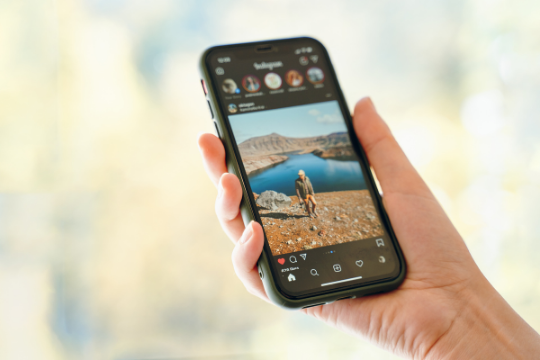
So many people buy clothes online now. It saves the time and energy of going into a store and buying products. Especially use of AR/VR has allowed real mirror view in new fashion styles. Where as instant delivery to home has  ensured greater participation. Amazon has been one of the main players in the online shopping industry. People can get a lot from Amazon from clothing, to different products, to even electronics. Mobile shopping has changed the face of the shopping industry.

When shopping, it is important that you shop the best deals. Shopping at a store makes this so much more difficult, because it’s so hard to great deals between different stores. People would rather just go online, and find the deals and buy all at the same time. This is where apps like Konsier help with the mobile shopping experience. Konsier basically determines the trend of your shopping history, and creates items that you might want to see, or of discounts on products.

This type of technology is constantly changing the way we shop. Before, it was important that you enter a store that sold different goods to buy products. Now the shopping has been made simpler through the touch of a few buttons.

How to Design Dark Mode for Your Mobile App

dark modeDark mode design for mobile apps has become a hot topic recently. When Apple released iOS 10 in 2016, they offered an API called Dark Mode that developers could utilize to turn the app into dark mode. Not long after this release, Google followed suit with Android Oreo and their own version of Dark Mode – Night Theme. Even though these two platforms are still not consistent in their approach to dark mode, more apps have started using dark mode. Dark mode is a great design solution for apps that use predominantly black elements because it allows the user to save battery and eyesight by reducing the glare on the display screen at night.
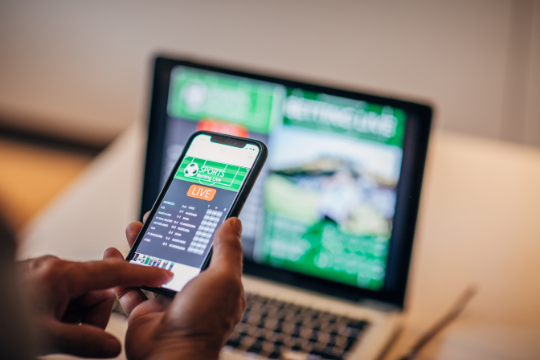
In order for your mobile app to be compatible with Android Oreo and iOS 10 or higher, you will need to design a dark mode. The process for designing dark mode is complicated and filled with many pitfalls that can result in an unusable app if the designer isn’t careful. In this article we are going to go over everything you need to know about designing a dark mode from the perspective of a mobile UX/UI designer.

First off, the most important thing to know about dark mode is that it doesn’t necessarily mean turning your app black and white like the Twitter or Google+ apps. Dark modes are different depending on which platform you’re targeting, as well as how strictly you want follow their guidelines. The documentation for Android Oreo states that dark mode is defined as:

“An alternate theme that colors the user interface elements black (for dark background) or white (for light background), and in some cases grayscale.”

This means that you can use different variations of a dark color for UI elements and still be considered Android Oreo compliant. For iOS 10, Apple states that dark mode is defined as:

“A black or dark-gray interface.”

Apple is very strict about their guidelines and the only UI element you can use that isn’t a flat color in iOS 10 apps is an image with transparency. This means that any UI elements must be either black, white, or have some level of transparency in order to be placed on top of the dark background.


More on Design for Dark Mode

The design trend with dark modes is to have a black or very dark grey background and use lighter elements against it. This approach looks more visually appealing than white text on a black background, especially in apps where there are many light colored UI elements like Messenger, Instagram, and Gmail. With that being said, there are some apps that continue to use mostly white UI elements despite having a dark mode option.

This design inconsistency can make it difficult for users to know if an app has a black or dark grey background and can lead to frustrating user experiences when light UI elements blend into the background and become unreadable.

The best way to avoid this issue is to make sure your app has a flat, black background and then choose UI elements with contrasting colors. If you have a blue button in your interface, it should be either white or grey against the dark background. This concept applies to text as well — if your app has long bodies of text or lists that are very light colored, consider using a white or very light grey color for them so they are readable.


Designing Dark Mode – Tools to Use

There are a number of tools that you can use to create dark mode for your app depending on what platform(s) you are designing for. You can always design in Photoshop and then port the images to Android or iOS, but if you’re starting from scratch this process will take significantly longer.

The following is a list of tools that can be used to design dark mode in various situations:


Photoshop

Photoshop is by far the most useful tool for designing interfaces. It has robust color and layer options which allow you to create both iOS 10 and Android Oreo compliant dark modes. You can then export the design as a .psd file and upload it to Sketch or another vector tool for further development.


Sketch

If you have existing designs in Photoshop, you can open these files directly into Sketch so that they will retain their layers. You can then add new objects onto the background layer in Sketch and export them as a png file. Note that if you have images with transparency, these will not work in Sketch so it’s best to leave them in Photoshop until after you are done developing your app.


Android Studio

Android Studio is Google’s recommended IDE for Android development and has a built-in feature called Image Asset Studio that lets you easily create dark mode assets from existing images. You can also use Android Drawable Importer to import assets from Photoshop, although this process is more time consuming than using Image Asset Studio.


Xcode

If you’re already an iOS developer, Xcode is the most convenient tool to use. It has a dark mode feature that can be enabled from within the Interface Builder, and since its assets are vector-based it makes it easy to export them as .pngs for Sketch or Android Studio.


Process of Designing Dark Mode

The following are the steps you should follow when designing in dark mode:

  • Create a new document in Photoshop or open existing PSDs
  • Draw all UI elements on the background layer
  • Change all lighter UI elements to their dark color variations (if applicable) and leave the darkest UI element
  • Group objects that are related together so they can be easily moved as a single entity later on if needed.
  • Change all text to darker colors (if applicable)
  • If your app has a lot of black or white space, consider changing this to dark grey instead. It’s better to have some form of color in the empty spaces so users can easily discern between different UI elements.


Timeline to Design Dark Mode

As you can see, creating dark mode design assets takes a lot longer than developing the rest of the app. Before starting this process, you should have already developed your UI in light mode and then applied color schemes that will work well with dark mode (this is more important for iOS apps because Android Oreo has an automatic dark mode that only applies to the status bar and navigation bar).

After this, you should aim to have your first iteration of a dark mode design finished by Week 6 of your development timeline so that you can test it with users and get feedback. This will give you enough time to make any adjustments before the final development stage starts in Week 8 (as an example).


Conclusion

In conclusion, designing dark mode is a complex process that requires extensive planning and more time than standard app development. However, the preview images above show how much more compelling your app can look when you use color schemes that work with dark mode.


Sunvera Software develops next-level software applications from start-to-finish. We are a premier software and mobile app development agency specializing in healthcare mobile app development, custom mobile app development company, telehealth software, sales dashboards, custom mobile app development services, retail software development, supply-chain software, ecommerce, shopify, web design, iBeacon apps, security solutions and unified access software.

We are proud partners with Amazon AWS, Microsoft Azure and Google Cloud.

Schedule a free 30-minute call with us to discuss your business, or you can give us a call at (949) 284-6300.

Converting Your Website Into a Mobile App – Why Do It?

converting your website into a mobile appThe number of mobile device users has grown exponentially to the point that they now far exceed desktop users. If you’re not catering your website for these visitors, you are going to lose business and potential leads to your competitors. But how do you convert your website into a mobile app? Let’s have a look at why this should be done, and how to go about it.



Why You Should Convert Your Website Into An App

There are many benefits to converting your website into a mobile app, including:

  • Not losing potential customers who use a mobile device
  • Showing off your business to a larger potential customer base
  • More customer engagement and brand awareness
  • Higher search engine rankings

Although apps are often free, they also take time to develop. If you’re not a developer or don’t have a developer on your team, it might be better for you to outsource this work to a developing company (more on that later).


Why Mobile Apps Are Better Than Web Apps

Unless you have a compelling reason to use a hybrid app, an app should always be native. Native apps perform faster and provide the user with a more engaging experience than web apps.

Web apps make it difficult for users to share content, while native apps easily let them do this through social media, email or text messaging.

Native apps can easily be updated, while web apps require a whole new release cycle.

Lastly, web apps lack the potential for monetization through in-app purchases or subscriptions.


How To Convert Your Website Into A Mobile App

Converting your website into a mobile app can be done in different ways. The first thing you need to do is determine what this app will be able to do for you and your business.

Will it be a mobile version of your website, or an entirely new experience?

Depending on what needs to be done, the design process and implementation will vary greatly.


Designing The App

The best place to start is by planning the design of your new app. First, take a good look at your website and determine what elements you want to be included in the app. Is there any particular content that needs to be displayed? Will there need to be user login features or other features that require it?

Designing the app can be done through a process called wireframing. Wireframes are essentially rough drawings of the app’s layout, which will help determine where everything should go and how it should look once built.


Implementing The App

Once your wireframe is complete, you’ll need to decide what platform or platforms you want the app to be built for. For example, if your app is only going to be available on iOS devices, you’ll need to use a different programming language than if you want it to work natively on both iOS and Android.

Native apps are generally considered better because they appear more sleek and less buggy than web apps, but can be expensive and difficult to maintain. Web apps, on the other hand, can be easy and cheap to maintain but are generally considered less visually appealing than native apps.

If you decide that a web app is what you want, there are two main languages that can be used for this: HTML5 or Java. HTML5 will give you more mobile compatibility but is considered less powerful than Java, while the other is considered more robust but may not be compatible with all mobile devices.

Note that it’s important to also consider the costs. If you don’t have a budget for your app conversion project, it may be better to outsource this work so you can get the most bang for your buck and time.


Sunvera Software develops next-level software applications from start-to-finish. We are a premier software and mobile app development agency specializing in healthcare mobile app development, custom mobile app development company, telehealth software, sales dashboards, custom mobile app development services, retail software development, supply-chain software, ecommerce, shopify, web design, iBeacon apps, security solutions and unified access software.

We are proud partners with Amazon AWS, Microsoft Azure and Google Cloud.

Schedule a free 30-minute call with us to discuss your business, or you can give us a call at (949) 284-6300.

The Only Mobile App SEO Checklist You Will Need

mobile app SEOLet’s say you have a great business idea and are looking for funding. The first thing investors will want to know is how big your market is, what kind of customers you’ll attract and which factors would make it easy for them to take their money out someday.

In some sense, the process of acquiring new mobile app users is no different.

As a mobile app marketer, you’ll need to create and implement an acquisition plan that shows how potential users will find your app, what kind of customers they are most likely to become and why it’s easy for them to use the app.

We will go over several tools you can use to monitor and improve your mobile app’s SEO, as well as other approaches and tips you can apply.


Why is Mobile App SEO Important?

Remember what we said about having a great business idea and wanting to get funding? The same principle applies for mobile app marketing. You are trying to sell both an idea as well as the product/service that goes with your app. In order to do that, you need to let potential customers know what your app is and how they can get it.

You may have a great product that solves a problem or facilitates some activity better than any other competitor out there, but if nobody knows about it, then you are not going to make any sales. This is true on the Web as well as in mobile apps.

The term “mobile app” can refer to many different things, including brand building and customer retention tools that don’t drive downloads but still help you grow your business. When we talk about “mobile SEO,” we are talking specifically about how search engine optimization works with mobile users who want to download new apps within the various app stores.


Mobile App SEO Tools

We have gathered a list of the top tools you should be using to optimize your mobile app for visibility.


Tool #1: Google Analytics

When it comes to mobile app SEO, Google Analytics is your best friend. It allows you to track how users discover and interact with your app, as well as where in the world they come from. The latter feature is especially important for understanding why some countries are much more profitable than others.


Tool #2: Search Console

The Google Search Console is a web-based platform from Google that you can use to track the number of people who find your app either via mobile search or through specific key words.


Tool #3: Google Play Developer Console

Google’s Play Developer Console lets you monitor daily, weekly, monthly and yearly download numbers. You’ll be able to see how new users find and download your app.


Tool #4: App Annie

App Annie is another useful tool that allows you to monitor downloads, keywords performance, rankings and reviews across the major app stores. You’ll know how many people are downloading your app and where they are coming from.


Tool #5: Sensor Tower

Sensor Tower lets you monitor search rankings in the major app stores. Sensor Tower also gives detailed insights into top countries, keywords and even links to related apps.


Tool #6: Mobile Action

The last tool we recommend is Mobile Action . It does have a few limitations since it requires integration but once you are up and running, you’ll be able to monitor multiple metrics, including downloads, reviews and ratings.


Tips to Improve Your Mobile App SEO

Mobile apps live and die by their ability to be found online. Once you have the tools in place, it’s time to implement a plan that will allow you to understand how your app is performing on search engines.

Here are some tips that can help improve your mobile app SEO:


1. Optimize for Conversions

There is a fine line between making your app easy to find and optimizing for conversions. Meaning, if you make the title too long or keyword-stuffed, Google might not list it at all. The trick is to optimize for both without doing either.

The best way to improve your mobile app SEO is by tailoring your keywords based on user intent. You need to know why people are doing the searches that they do. That way, you can be sure your app is listed in a search for the correct term.


2. App Title & Description

The first two impressions most users get of your mobile app comes from how it looks on search result pages (in this case, the results pages in the app stores) and the description/name of your app. Make sure both are optimized for conversions and not just mobile SEO.


3. App Icons & Screenshots

The app store page is like your home page when it comes to conversions. Users will look at screenshots, read descriptions and even click on the ratings before downloading your app. The trick here is to make sure you have a clear call to action for each screenshot and that your keywords are included where possible.


4. Optimize App Videos

Video is becoming more important for all mobile apps, primarily due to how users interact with their smart phones. Video can give people a sense of product quality and experience before they even download the app. Make sure you have optimized videos for conversions. The description is also important here so make sure you have optimized it for organic search.


5. Optimize the Blog and Website

Since most apps are more than a single-purpose product, traffic from other sources like social media, SEO and even referrals is vital to its success. Make sure your app is mentioned on your website/blog, preferably near the top of the page. Take advantage of cross-linking opportunities and annotations so that users can download your app directly from your website/blog.


6. Links & Citations

Citations are important in mobile SEO because search engines often use them to gather information about your product or service. Make sure you have a list of all the places you are mentioned online and submit your app to each. Even a mention in one review on an important website can have a big impact, especially if it’s an influential website or blog.


7. App Reviews & Ratings

App stores use reviews and ratings as a way to determine your mobile apps relevance for specific keywords. Make sure users are sharing their experiences and leaving reviews. Also, keep an eye on your competitors and what they are doing in regards to ratings and reviews.


Sunvera Software develops next-level software applications from start-to-finish. We are a premier software and mobile app development agency specializing in healthcare mobile app development, custom mobile app development company, telehealth software, sales dashboards, custom mobile app development services, retail software development, supply-chain software, ecommerce, shopify, web design, iBeacon apps, security solutions and unified access software.

We are proud partners with Amazon AWS, Microsoft Azure and Google Cloud.

Schedule a free 30-minute call with us to discuss your business, or you can give us a call at (949) 284-6300.

How to Create a Good Livestreaming App

Livestreaming appToday more and more people have started to use streaming in their daily life. It’s not only because they can share something interesting with their friends at any time, but also it’s becoming a profession for some of them. However, it’s still difficult to create and manage a livestreaming app by yourself with so many features needing to be put into it.
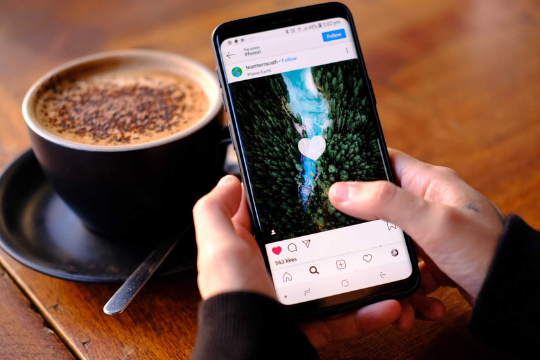
 

Rise in Popularity of Livestreaming Apps

Livestreaming has been popular among the younger generation for a long time, but it is only recently that they have become widely available via smartphone apps. Even a few years ago, livestreaming required expensive broadcasting equipment and expertise. Nowadays though, all you need to do is download an application and you can start streaming from your smartphone.

Livestreaming apps are available for both Android and iPhone devices, giving users the ability to broadcast themselves in real-time to an audience of their choice. Popular live streaming apps like YouTube Live, UStream, Twitch, Stickam and Justin.TV have been around for a while now but it is only recently that more specialized apps have entered the market.


Basics of a Good Livecasting App

A good livecasting app must meet these basic requirements:

  • A good user interface
  • Being able to switch between the stream screen and the “home” section, which automatically resets every three minutes. This is because livestreaming apps are used for broadcasting, but also allows viewers to chat with each other, and this can be done from the home screen.
  • Ability to stream with as little lag (or latency) as possible

Other features that are not essential, but would make the app better are:

  • Video preview and video playback for past broadcasts
  • Auto refreshing chat rooms
  • Being able to restart a broadcast or save a broadcast to watch later
  • Ability to share channels/links with other people using the app
  • A livestreaming app must also be available on iOS and Android devices. This is because there are many livestreaming apps that are only available for one platform, while some apps do not have a stream screen so it makes it hard for users to use the app.
  • It should be able to have multiple people streaming at once, and if possible, viewers should not be limited
  • Have an easy way for users to connect their accounts with social media sites such as Instagram or Twitter for interacting with followers
  • There should also be a feature where you can purchase coins to make donations to channels
  • The app does not need the ability to manage chat rooms, but if they can do it then that’s a plus because users should be able to remove people from their chatroom for being rude or inappropriate and there should also be a way where they could see who has been removed from the chat room.
  • The app should also have an option where you can share your channel/streams with other people from within the app, so that users don’t need to go out of the app in order to do this. This is especially helpful for new streamers who want as much exposure as possible when they first start streaming.


Hitbox – Mobile Streaming App

An example of a livecasting app that contains all of these features and has an interface that is easy to use for both beginners and experienced streamers would be Hitbox’s mobile streaming app.

Hitbox delivers a great mobile app experience because it allows users to switch between broadcasting and interacting with viewers. It also lets users save past broadcasts for watching later, and multiple people can livestream at once. Along with that, the mobile app enables live chat rooms which can be moderated by other community members to help maintain a clean and friendly environment for all of its users, as well as giving users the ability to manage who they want in their chat room. There is also a feature where users can pay to “boost” their stream, which can increase the number of viewers that are watching them.

The app is available on iOS and Android devices, which increases its convenience for many users who may not have access to only one platform.


Where to Start?

Now that you know more about how to create a user-friendly, high-quality livestreaming app, where do you go to get your app developed?

You have a couple of different options. Some people choose to hire freelance developers and others go for a reputable software development company. Whichever route you choose, you need to make sure that the developers have good reviews, as you will be investing a great deal of money in getting your new livestreaming app developed. Ask for some case studies on similar apps that your developers have worked with, and then decide whether they are a good fit for your project or not.


Sunvera Software develops next-level software applications from start-to-finish. We are a premier software and mobile app development agency specializing in healthcare mobile app development, custom mobile app development company, telehealth software, sales dashboards, custom mobile app development services, retail software development, supply-chain software, ecommerce, shopify, web design, iBeacon apps, security solutions and unified access software.

We are proud partners with Amazon AWS, Microsoft Azure and Google Cloud.

Schedule a free 30-minute call with us to discuss your business, or you can give us a call at (949) 284-6300.

How Do Free Apps Make Money

free appsWith smartphone applications becoming more and more popular, there is great potential for many people to make money using free apps. Developers of these applications are often looking for ways to create free apps that will not only help them become popular but also generate revenue. Here we discuss the various methods which developers can use to bring in revenue from their free apps

 

#1. In-App Purchases

Many free apps monetize through in-app purchases, making use of the impulse purchase power of mobile devices. (IAP is also one of the most popular business models for mobile games.)

In-app purchases can include digital goods or real items available in the game (like coins, extra lives, etc.). But some apps are using IAP to provide a non-gaming service. For example, Yelp Monocle uses a freemium model that allows users to view local businesses around them without ads. But users can also pay to have the ad-free experience permanently.

IAP is a great revenue generator because it’s low risk for developers and highly profitable. On average, in-app purchases account for 76% of total app store revenue in countries where they are available, according to Distimo.

In the early days of the app market, there was a lot of debate about whether IAP should be allowed at all. Paid apps can cost upwards of $20 and it felt wrong to ask users to pay for an initial download plus additional fees for services.

However, in-app purchases proved successful and are now commonly used by app publishers to make additional revenue.


#2. Advertising

Many free apps rely on advertising to generate revenue. Some apps are able, through in-app purchases or other means, to offer users content without ads and then rely on ad revenue as a secondary source of income.

On the whole, mobile app advertisers tend to prefer games to non-game apps. This is due in large part to the more interactive user experience that a game provides, and users’ willingness to watch ads as they play. It’s also worth mentioning that monetizing free games with ads can be trickier owing to lower CTRs on mobile than desktop.

One of the most popular ad formats for mobile games is rewarded video, giving users the choice to watch a video ad in exchange for virtual goods or currency.

Many other apps offer banner ads and interstitials as their main monetization vehicle. This model takes advantage of high CTRs in order to generate revenue from ad impressions rather than clicks.


#3. In-App Purchases for Virtual Goods

The third most popular mobile app revenue model is selling virtual goods. Many games monetize through the sale of in-game currency, items or boosts that give players an advantage over others. It’s a great way to offer players choice and offers developers a new stream of income from existing properties.

On average, 49% of app revenue comes from virtual goods sales.


#4. Subscriptions

Many popular apps are using subscriptions to monetize users who are willing to pay a monthly or yearly fee for unlimited access to content or services—or at least an ad-free version thereof. Hulu is a household name and Netflix is another standout that offers the option to subscribe without ads on mobile.

Using subscriptions in a freemium app can help developers monetize users who are unwilling or unable to make one-time purchases. This business model works best with high user engagement and comfortable price points.


#5. Promotions and Affiliate Marketing

Promotions and affiliate marketing are often overlooked as viable mobile monetization strategies. Promotions allow app publishers to provide users a way to purchase items from retail partners with an actual or virtual currency.

Whether you’re selling your own goods or working as a promoter for another company, promotions offer developers the opportunity to make money off of the purchases that users make outside of the app.

Affiliate marketing, on the other hand, is when a publisher links to another site where users can purchase goods or services and earns a commission if those users follow through with their transaction.

Both monetization models are useful for developers as well as retail partners that want to gain exposure within an app.


Sunvera Software develops next-level software applications from start-to-finish. We are a premier software and mobile app development agency specializing in healthcare mobile app development, custom mobile app development company, telehealth software, sales dashboards, custom mobile app development services, retail software development, supply-chain software, ecommerce, shopify, web design, iBeacon apps, security solutions and unified access software.

We are proud partners with Amazon AWS, Microsoft Azure and Google Cloud.

Schedule a free 30-minute call with us to discuss your business, or you can give us a call at (949) 284-6300.

Guide to Building an Applicant Tracking System

applicant tracking systemThe purpose of an applicant tracking system (ATS) is to organize and store the information you get from prospective employees during the hiring process.
Many small businesses, particularly start-ups, have very little need for this type of system because they only hire a few employees each year or even less frequently than that. But as companies grow over time into medium and large corporations, applicant tracking systems become more necessary.

The best applicant tracking systems are designed to help organizations efficiently manage the recruitment life cycle for each applicant from initial phone interview all the way through their final stage of employment. In addition to simplifying the entire hiring process, applicant tracking systems also eliminate a lot of paperwork preventing you and your employees from getting bogged down with mundane tasks related to hiring.

An ATS can help you determine which applicant would be the most fitting for the job by prioritizing them based on their response time, skills assessment test results, and interview scores. You will then know who your top choices are for each open position.


Process of Creating an Applicant Tracking System

Creating an ATS is a highly technical process that requires you to have the right software and equipment. Not only does applicant tracking software help you keep track of your applicants, but it also allows you to take assessments, schedule interviews, eliminate paperwork with online forms, track applicant progress through each stage of the hiring process, and finally automate tasks like sending out emails and reminders. Here are the steps involved in the process of creating a good applicant tracking system:


Step 1: Planning

The first thing you need to do before creating an ATS is to understand how much time and money is being wasted during the hiring process. This will give you a better idea on which applicant tracking systems to use in your company. Knowing where the problems lie within the ATS process will help make it better and more efficient for you or your company in reducing work related expenses.


Step 2: Design

Once you have a clear picture of what applicant tracking systems are being used, you can then design the perfect applicant tracking software to fit your organization’s needs. The ATS should be carefully designed to accommodate the specific procedures and workflow that are in place throughout your company.


Step 3: Implementation

After the ATS is designed, you must implement them to your company. You’ll need to have the system installed and configured on your organization’s website. You will also have to train all of your employees on how it works so that you can start using the software soon after implementation is complete.


Step 4: Maintenance

Monitoring applicant progress in applicant-tracking systems is a necessary part of the process since after they are interviewed, you can still add information to each applicant employee file. This way, whenever a hiring manager or recruiter accesses the tracking system, they will be provided with the applicant’s history without them having to do any searching.


Applicant Tracking System Features

Here are some of the applicant tracking system features your ATS should have:


Email Alerts

Applicant employee files aside, alerts can also help you keep track of what’s going on in applicant’s history. Applicant employment alerts are sent to you whenever there are changes in applicant’s application status, interview schedules, or employment offer.


History

Whether applicant tracking systems are used or not, HR managers and other recruiters would still have to search applicant files from time to time. With applicant-tracking software, they can just go into the applicant’s employment history in a matter of clicks.


Batch Resume Editing

This might not be a necessary ATS feature since some companies prefer to have applicants personally fill out the forms. Nevertheless, batch resume editing is useful for applicants who have applied to other companies or who need to apply for jobs outside your company. With batch resume editing, all applicant resumes are saved automatically so that they can be modified whenever necessary and sent out in batches.


Skills, Assessments, and Tests

Applicants are likely to be tested for their skills before being interviewed. Applicants are given tests in order to meet standards or even set a benchmark on how well applicants would perform. Skills, assessments, and tests help you find out how skilled your applicants are, which is helpful in determining if they would be able to perform well for the company.


Data Export

Applicant-tracking software data can easily be exported to other applicant tracking software, applicant management systems, or applicant portals. This is particularly helpful when transferring applicant employment files from one applicant system to another. It also lets you import resumes into your tracking system whenever necessary.


Cost To Develop an Applicant Tracking System

Although the cost to develop a custom applicant tracking system depends on who your developers are and how complex the system would be, the average cost to develop such a system can range anywhere from $5,000 to $10,000. This is a one-time cost and requires you only to pay for its development as opposed to paying every month for maintenance and other fees. However, one must keep further maintenance charges in mind.

The applicant tracking system has become an integral part of HR management. It provides recruiters with the necessary tools and information they need in order to efficiently find employees that would best suit the company.

If you find applicant tracking systems useful, you can develop your own applicant system or hire developers to do it for you. The investment might be costly but applicant tracking software is worth every cent you put into its development. Plus, it is better than paying monthly fees for a readymade software that still does not fully meet your needs.


Sunvera Software develops next-level software applications from start-to-finish. We are a premier software and mobile app development agency specializing in healthcare mobile app development, custom mobile app development company, telehealth software, sales dashboards, custom mobile app development services, retail software development, supply-chain software, ecommerce, shopify, web design, iBeacon apps, security solutions and unified access software.

We are proud partners with Amazon AWS, Microsoft Azure and Google Cloud.

Schedule a free 30-minute call with us to discuss your business, or you can give us a call at (949) 284-6300.

Short Form Video Apps: Creating an App Like TikTok

short form video app If you’re looking for a little inspiration, look no further than TikTok. The app is only two years old but has taken the world by storm – especially with its booming short form video content.

The platform merged organic popularity and an innovative way to create content that inspired people around the world to get creative with it. It also helped that it was easy to create video content that could easily be shared and viewed by others.

In this article, we’ll take a look at how you can create your own app like TikTok.


Background of TikTok

The platform started off in 2016 as Douyin, an app that allowed users to create 15-second looping videos. In 2017, it became the global version – TikTok.

This was a huge success with over 500 million downloads and 200 million monthly active users (MAU).

In 2018, it merged its international brand with musical.ly. It paid over $1 billion to buy musically and create the app.

The combination of both apps gave users an easy way to create content, like, share and view.


What Does This Mean for Your App?

If you create quality content that appeals to a diverse audience, your users will love it and create their own – which in turn helps the app grow.

A successful TikTok user is likely to create or share videos with friends, family and others they know. This helps spread awareness of the app as well as create a sense of engagement and community.

What makes TikTok unique is how they create their original content and how this appears to others.

The platform has become known for creating the ‘next big thing’ in the world of music, allowing users to create playlists based on songs they like as well as finding new ones from all over the world.

On a broader level, they create original videos with the goal of inspiring their users to create.

Here are some basic ideas you can follow when creating your short form video app:

  • Creativity is at the heart of your app and it should be reflected in what content it creates as well as how that content is shared.
  • Be open to how your users create, share and engage with the content.
  • Ensure you create a diverse range of content that can be shared across different communities and demographics.

This will create engagement as well as support the organic growth of your app, creating a community that is invested in its success.


What are Short Form Video Apps?

Short form video apps create content that is under 15-seconds in length, allowing users to create and share their own videos easily.

It’s a highly innovative way to create original video content with a short shelf life – if it isn’t already ‘viral’ by the time you remove it from your app!

This allows you to drive engagement from your users as they create and share content with each other, allowing the app to build a community that supports its success.

It’s easy to create short form videos nowadays with technological advancements, meaning you don’t need to have a professional camera nor editing skills.

Short form video apps create content that may be comedic, inspiring, or just downright weird but one thing is for sure – it’s guaranteed to create engagement amongst your users.


Cost to Develop an App Like TikTok

There are a number of free apps out there that create short form content – from Snapchat to Instagram.

However, they haven’t reached the level of success that TikTok has because of how original TikTok’s content is and how it appeals to different communities.

Creating a community around your app means you need to invest into it in order for it become a success.

An investment in marketing can be essential when creating an app like TikTok – this includes adverts as well as promotion on other social networking platforms.

The cost to create an app like TikTok can vary depending on the developer you choose, as well as specific features that are required for your app. However, the average cost to develop an app such as TikTok is anywhere from $5,000 to $25,000.


Future of Short-Form Video Apps

The success of TikTok means that short form video is here to stay and there are a number of ways you can create your own app like TikTok. However, the most important thing when creating an app like TikTok is having the right content.

Creating a community that supports your app is also key, as well as creating content that appeals to certain demographics or communities.

In terms of what the future holds, it’s likely we will see more short form video apps emerge with the popularity and demand of such apps.


Sunvera Software develops next-level software applications from start-to-finish. We are a premier software and mobile app development agency specializing in healthcare mobile app development, custom mobile app development company, telehealth software, sales dashboards, custom mobile app development services, retail software development, supply-chain software, ecommerce, shopify, web design, iBeacon apps, security solutions and unified access software.

We are proud partners with Amazon AWS, Microsoft Azure and Google Cloud.

Schedule a free 30-minute call with us to discuss your business, or you can give us a call at (949) 284-6300.

Top Web App Development Wireframe Tools

Wireframe toolsAs the web design industry changes, the wireframe tools developers use to create web apps are also changing. With responsive design, wireframing and prototyping are key factors in bringing a new app to market.


In this article, we have selected some of the top wireframe tools for web app development. These resources allow developers to enhance their wireframes with additional functionalities such as form validation to provide a better overall experience.

In no particular order, here are some of the best wireframe tools for web app development.


WireframeSketcher

WireframeSketcher is an easy to use wireframing tool that includes stencil libraries for user interface elements and website blocks with drag-and-drop functionality. The free version allows unlimited public projects, while paid versions provide additional features and compatibility options.


Mockingbird

Mockingbird is a free wireframing tool to plan, organize and share websites and web applications. It also allows users to import designs from Balsamiq or Sketch formats, as well as export the project in PNG format for presentations.


Wirefy

Wirefy is a wireframing framework that provides fully responsive elements and components. It is also easy to configure with the WordPress Customizer, making it a practical alternative for developers who work on CMSs.


Proto.io

Proto.io is an advanced prototyping tool for web and mobile apps (iOS, Android, and Windows) that allows adding animations to transitions. It is available in three versions: free, standard and pro.


MockFlow

MockFlow is a wireframing tool for graphic designers that includes stencils for UI elements and web layout stations with drag-and-drop functionality. Users can export their work to PNG or PDF formats to present it to the client or share it via MockFlow’s online repository.


Pencil

Pencil is a scalable wireframing tool with stencils for mobile and web apps as well as different elements. It also provides collaboration functionality for multi-user projects, as well as version tracking capabilities to revert changes made in the project.


FlairBuilder

FlairBuilder is a versatile web app wireframing tool with several hundred elements and icons, as well as ready-to-use UI templates. It also includes a rich text editor, an integrated FTP client to manage the project online and different charts to present data in an interactive way.


Gliffy

Gliffy is a cloud-based wireframing tool that allows for collaboration among different users in real time. It is available as a subscription-based service, with different accounts for individuals and teams.


WireframePro

WireframePro is a basic wireframing tool with stencil libraries for mobile apps and web pages, as well as different widgets and UI elements. It also includes features to share projects via Dropbox, integrate the mockup into WordPress or show it in a live preview mode.


MockupScreens

MockupScreens is a mobile app and website wireframing tool that allows exporting the project to PDF, HTML or Photoshop for presentation purposes. It also has versioning capabilities and allows importing images from Sketch format with one click.


Wireframe tools are a practical alternative to traditional web design programs, as they allow creating wireframes and prototypes quickly and providing a better user experience. With various functionalities such as form validation and support for mobile platforms, the listed tools offer valuable features that developers can use to create high-quality apps in relatively little time.


Sunvera Software develops next-level software applications from start-to-finish. We are a premier software and mobile app development agency specializing in healthcare mobile app development, custom mobile app development company, telehealth software, sales dashboards, custom mobile app development services, retail software development, supply-chain software, ecommerce, shopify, web design, iBeacon apps, security solutions and unified access software.

We are proud partners with Amazon AWS, Microsoft Azure and Google Cloud.

Schedule a free 30-minute call with us to discuss your business, or you can give us a call at (949) 284-6300.

Ready to discuss your project? Contact Us