
Trendiest News in Tech

SaaS Pricing: Best Strategies and Models

SaaSThere isn’t anything that has a bigger effect on your software-as-a-service product revenue than pricing models. Choosing the proper monetization strategy, however, is a difficult task for many companies.


To help shed some light on the subject, we’ve put up a comprehensive guide to the most popular SaaS pricing strategies. In this article, you will find out the basic B2B SaaS pricing models and learn how to adopt them properly from popular SaaS companies.


What Are SaaS Pricing Models?


In simple words, a SaaS pricing model is a method that companies use to determine the optimum price for their cloud product or service.

Your main goal is to strike the right balance between value and profit. On one hand, you want to assist consumers in using your product. On the other hand, you expect to be fairly compensated for your help. You’ll be able to build a steady and successful SaaS business if you strike the right balance.

Consider the following criteria while deciding on the best SaaS pricing model:


  • Internal: revenue targets, brand positioning, and target markets;
  • External: consumer demand, competition pricing, and market trends.


Why Are SaaS Pricing Best Practices Important?


As we all know, the right revenue model is critical for the SaaS business. What are the reasons for its critical importance? Why do you need to optimize your pricing when you could just set them on instinct?

Other companies are likely to find SaaS pricing models difficult as well. For the same reasons as you, they may be reluctant to improve their SaaS business models. Even yet, the right price will help you stand out from the crowd of competitors selling similar products.


You Can Provide Genuine Value to Your Consumers.


Consumers want products that are simple to justify. They prefer to think of their purchases as sound financial investments. Make the actual value of your product your priority by establishing a SaaS pricing that customers are willing to pay.


It Contributes to the Improvement of Unit Economics.


Essentially, the success of your SaaS company is determined by the proper balance of two important criteria. Customer lifetime value (CLV) and customer acquisition cost (CAC) are two of them. The first measure should be much more important than the second. Otherwise, there will be no progress.

You can kill two birds with one stone by using the best SaaS pricing model. Better positioning may help you save money on customer acquisition. You may also increase customer lifetime value by improving retention.


Three Basic SaaS Pricing Models


We’ll look at three categories of pricing in this section: cost-based, market-based, and value-based pricing.


1. Cost-Based SaaS Pricing


The simplest to start with, explain, and calculate is cost-based pricing, which is based on the cost of developing your products or professional services.

To decide what you’ll charge for your SaaS business, just assess how much it costs to create and maintain a product, then add a tiny percentage mark-up. For example, if your software costs $100 to develop, you can sell it for $130 and make a 30% profit.

The cost-based pricing model for SaaS is often the starting point. You’ll see that you’re wasting money over time. That’s because the value you produce isn’t related to how much it costs you to do it.

Even after they’ve developed into highly complex categories, industries, and solutions, many professional services still sell under a cost + markup pricing model. Cost-based pricers should regularly question themselves, “How can I move up the value chain?”


2. Market-Based SaaS Pricing


Market-based pricing is tough to avoid middle ground between cost-based and value-based pricing.

Look at what’s already available in the market, what your competitors are charging, and how you fit into your customers’ existing budgets to discover market-based pricing.

This may be an important step in gathering data and learning about the industry. It’s also simpler for your customers to comprehend than a value-based SaaS pricing strategy since it’s clear and allows them to directly compare you to your competitors.

However, the disadvantage of this model is that you may not perform well compared to your competitors, putting you at risk of being demoted to the position of “vendor” rather than “business partner.”

With market-based pricing, you have no influence over how your prospective prospects and consumers compare you to the other options they have. You must adhere to the definition that your category has determined to be the most valuable and at what price range. If you offer a service with different features or differentiators, this may be a real challenge. Even if your product is unique, the price you pay will be set by the category you compete.


3. Value-Based SaaS Pricing


The easiest way to explain value-based pricing is that it is based on the results of your customers’ experiences (the value you deliver). Value-based pricing is extremely customer-friendly since it allows you to become a partner and provides additional profit opportunities.

Since this SaaS pricing strategy isn’t concerned with your prices (or those of your competitors), you can concentrate on what your target market expects from your product. You may increase your SaaS pricing and generate more revenue if consumers are willing to pay more because they see greater value in your products.

It’s a pretty binary outcome: if you utilize value-based pricing, your profitability should increase; if it doesn’t, you’ve simply proved to yourself that you’re not in the proper market if you can’t turn the value you’re providing into your price model. To put it another way, what you’re doing in the particular use case may not be worthwhile.

Finally, with value-based pricing, you have complete control over the narrative and how consumers perceive what you do compared to the competitors. You choose the positioning vectors used to establish what value is and how much people are ready to pay for it.

Controlling your messaging and positioning is beneficial since it prevents you from being a price fighter or standardized in your interactions with prospects.


Conclusion


We’ve covered a variety of SaaS pricing strategies in the hopes that you’ll be able to choose the best one for you. Don’t forget to revise your price regularly. Thus, you’ll be able to stay competitive and grow your SaaS business.

Sunvera Software develops next-level software applications from start-to-finish. Schedule a free 30-minute call with us to discuss your business, or you can give us a call at (949) 284-6300.

What Is an API? Everything You Need to Know

APIAPIs are increasingly being used by organizations to increase efficiency and provide better customer services. In fact, many individuals use API-enabled programs regularly and are unaware of it.

Google Street View, Twitter, and Sap are just a few of the many apps that use APIs to allow data transfer from one program to another. Despite its widespread use, many people have no idea what an API is and how it functions.

There are four categories of APIs widely used in internet-based applications: public, private, partner, and composite, which we will discuss further in the article below.


What Does an API Stand For?


An API stands for Application Programming Interface, a collection of methods that allows programs to access data and communicate with other software applications, software platforms, or organizations. To put it simply, an API provides a user’s requests to a system and then returns the system’s answer to the user.


What Is an API?


APIs, also known as web services, operate on the side whenever two apps communicate, from exchanging instant messaging to purchasing tickets using online ticketing services. Everything operates in the background, resulting in a seamless user experience.


APIs are used by programs to improve their products by gaining access to another company’s data, programs, resources, and code, allowing them to provide more functionality while saving money and time.


How Does an API Work?


API is a type of application where you request your app to do something for you, and the app ultimately uses APIs to interact with the web application and inform it what to do. This is referred to as a request. Following that, the server then sends an answer to the “mediator,” who will transmit it to your app.


Every interaction involves a server app that provides the information and a consumer, which means the app is making a request. If a server can perform the requested action, the API would return the appropriate resource.


If users want to access a resource that does not exist on the server and that the user is not authorized to access, then the API would return an error code. APIs impose limited access control to the servers by only giving data that has been given access to local entities.


What Is a Web API?


The HTTP interface can be used to access web APIs. This is a framework for creating and developing HTTP-based services. Various technologies, including java and web development, can be used to create a web API. Web APIs can be accessed via a web application or a web browser. Web APIs are essentially a web development idea.


Web APIs are restricted to the client-side of web applications as they do not include information about a web server or an internet browser. Web API services are utilized when a program needs to be used on a distributed network and deliver services on various devices such as computers, mobile phones, etc. Web APIs are a more advanced version of a web-based application.


Types of APIs


There are four main types of APIs. We will discuss their differences and uses below:


Public API


A public API is accessible to the public and may be used by any kind of developer or company. A company that develops and offers a public API will have a business plan that includes sharing its data and apps with some other companies.

Security and authorization for public APIs are generally modest. A company may also try to monetize the API by charging a fee per call to use the public API.


Partner API


APIs accessible to business leaders are referred to as Partner APIs. They are also not open to the public and require special permission to enter. Partner APIs, like open APIs, is the tip of the iceberg because they’re usually used to interact outside of the company’s limits.

They are often available through a public API web interface, which developers may use in self-service modes. Although open APIs are entirely accessible, they give accessibility to partner APIs that require an onboarding procedure with a particular verification workflow.


Private API


A private API is solely designed for usage within the organization to link data and systems. A private API, for example, can link an institution’s core HR systems.

Private APIs have typically had poor security or no security at all since they are designed for internal usage, and other such security standards are presumed to be in effect via other rules. This is improving, although increased threat identification and regulatory issues have a bigger impact on a group’s API strategy.


Composite API


Composite APIs are made up of numerous information or service APIs. These are created by utilizing an API development tool’s API administration features. They enable developers to connect many endpoints in a single call. Composite APIs are helpful in a platform’s architectural design, for example, when you need data from many services to complete a single operation.

Composite APIs could be useful for addressing complicated or closely linked API behaviors, and they can occasionally outperform individual APIs in terms of power and stability.


The Benefits of Using API


Helps in Increasing Speed


Using APIs provides the workforce with a standardized set of conventions for how applications communicate. It helps to expedite your workflow by enabling you to readily assess features and functionality as well as evaluate the value propositions in a much more efficient manner. Furthermore, APIs offer standard means of communicating information and abilities across organizations, which improves transparency.


Simplifies and Promotes Integration


APIs simplify and promote integration by allowing various software to restructure their interrelationships based on the demands of your organization. This allows your organization to get greater results while lowering development expenses. Furthermore, you may link your apps with third-party services to increase usability.


Gives Better Services


APIs facilitate the creation of new programs, marketing strategies, and digital goods by allowing for effective linkage with third-party goods and services. As a result, numerous developers and business owners are prepared to pay for its utilization.


Sunvera Software develops next-level software applications from start-to-finish. Schedule a free 30-minute call with us to discuss your business, or you can give us a call at (949) 284-6300.

Medication Tracking Software: Features, Cost, and More

MedicationWith over four billion prescriptions issued each year in the United States, the need to guarantee that these medicines are appropriately administered is quickly growing. Medication management is more essential than ever before, given the risk of harmful drug interactions and the number of over-the-counter options accessible.

Medication tracking is an excellent way to keep track of your medication use and avoid any negative interactions. This tracking software enables physicians from various specialties to collaborate by giving them access to patients’ full medical records and histories and the ability to discover the various medications that a patient is prescribed, ensuring that no medications with known interactions are prescribed.


What Is Medication Management?


Medication management refers to a set of strategies for keeping track of medications. It is planned and carried out to ensure that medications are taken correctly and that the desired outcomes are achieved. When medication management programs are correctly implemented, they save costs and enhance care delivery, resulting in improved patient health.


Patients are often treated in a standard manner. Medication therapy management, on the other hand, is done on an individual basis. It’s important to note that not all patients react to medications in the same way. To create a personalized treatment plan that prevents re-admissions and death, it’s critical to track patients’ responses to their medication dosage and consider any medications they’re currently taking. This is particularly important when it comes to treating those who have chronic illnesses.


How Does It Work?


Medical tracking software is created with the primary goal of helping patients in adhering to their medication prescriptions. Patients may use their smartphones or other electronic devices to access these tracking programs. Medication tracking software enables you to upload medications, along with their physical description and use instructions, to any mobile device.


A drug interaction checker is included in a quality tracking software. If a newly given medication would react negatively with a current regimen, a warning will be issued to doctors using these capabilities. Additionally, patient allergies can be entered into the platform, alerting medical professionals if a potential allergic reaction to a prescription medicine occurs.


Medical tracking software notifies patients when and how much medicine they should take. Advanced applications will also display pictures and the prescribed dosage to assist patients in avoiding medication errors.


Must-Have Features


The functionality of a medication management system is only as good as its features. These features must improve usability for both patients and providers.


Easy-to-Use Interface


Users can easily input medication names, physical descriptions, doses, and timetables using intuitive interfaces, making apps and software easier to use. To minimize the risk of taking the incorrect medication, the software should display each pill using icons. Users can be reminded when it’s time to take their medicine, reschedule an alert, and utilize GPS functionality to send reminders when they’re close to their pill-taking location.


Checker for Drug Interactions


A drug-to-drug interaction checker is another essential feature of any medication tracking software. This is particularly important for patients who have drug sensitivities or who take multiple medications. When a healthcare professional adds a new medicine into the drug monitoring system, the system warns them whether it may interact negatively with an existing regimen. This reduces the risk of medication interactions causing damage.


Track Your Vitals


In the medical profession, having up-to-date patient health information is essential. A good medication management software would include a section for keeping track of vital signs. Blood pressure, weight, and physical activity are examples of these. This data may be shared with medical experts, who can adjust patients’ prescriptions if their vital signs change.


Reminders for Rx Refills


The best tracking apps include built-in reminders for when it’s time to refill. These make it simple for patients to know when it’s time to get a refill. This information would help prevent missed doses as a result of a delay in receiving refills from the pharmacy. It also relieves patients of the burden of continuously tracking their pill amounts to determine when a refill is required.


Shareable Reporting


While medication tracking software may be very beneficial to patients, it can also be highly beneficial to caregivers. Patients may simply share their data with any authorized caregiver using the best software programs available. A patient may share their medication tracking history with a new caregiver in a matter of seconds, keeping them up to date on their prescription schedule and doses.


Synchronization on a Multi-Device Basis


Users may access and get alerts from multiple linked devices by synchronizing them. This feature should also display pharmacies on a map and offer patients and caregivers access to chat rooms to interact with care teams, video conferencing, billing, and other services.


Benefits of Medication Tracking Apps


Medication tracking applications have the main advantage of providing an electronic medication administration record. This provides up-to-date information on the medicines a patient is taking or has taken in the past to both patients and doctors. With easy reminders, the record also helps patients in taking the correct dose at the proper time.


Information regarding mixing over-the-counter and prescription medicines is included in some of the best medication tracking programs. Patients may check whether over-the-counter medications interact with the prescriptions they’re taking with a single touch on the screen. This enables people to take over-the-counter medicines with better safety.


When patients have a chronic health condition, one of the most important advantages of a medication tracking program is that it enables them to become more involved with their treatment. Keeping patients on board with their medicines is one of the biggest concerns for doctors. Many of these tracking programs enable people with chronic illnesses to engage in chat rooms, internet forums, and other useful services.


Both patients and doctors may benefit from these drug tracking apps in terms of peace of mind. They ensure that the patient is taking the appropriate medications at the right time. There’s no need to stress about remembering when and how much medicine you took. This information can be found by just looking at the app.


Physicians may easily benefit from knowing that the medicines they’re giving will not interfere with anything else a patient is taking. It also enables doctors to monitor whether their patients adhere to their dosage schedules and amounts. This helps to prevent the possibility of future diagnoses being affected by patient error.


Sunvera Software develops next-level software applications from start-to-finish. Schedule a free 30-minute call with us to discuss your business, or you can give us a call at (949) 284-6300.

UWB in Agriculture: Five Ways to Apply UWB to Farms

UWB in agricultureOver the past decade, there has been much curiosity and discussion about ubiquitous or ultra-wideband (UWB) communications as it relates to agriculture. So many questions are being asked: How will UWB impact agriculture? Will it revolutionize agriculture? Can a new technology, such as UWB, deliver what is needed for success in agriculture now and into the future?

One of the main uses for UWB is in agriculture. There are specific, well-defined use cases that have been identified by work done to date and some of those will be highlighted. A tremendous amount of effort has been put forth over many years to define the requirements for agricultural communications as a basis for its own industry standard.


Using UWB for agricultural applications now and in the near term will help growers to be more efficient, allowing them to increase yields and overall profits by improving precision agriculture.


Yield Mapping


UWB will help improve and provide new capabilities for yield mapping. This is a technology that is already available to farmers in the form of yield-mapping equipment (e.g., PrimeTime + RTK from Deere & Company). Yield mapping has been around for many years, but there are still challenges in using equipment today that can cause growers to miss out on learning about opportunities they could be taking advantage of each year.

Yield mapping often requires multiple passes by sensors or instruments. In some cases, it may require two weeks or more to collect all of the data necessary for adequate determination of yields at one location.  This is not practical for most growers or even agronomists.

At the same time, new data sources are available to help improve yield measurement and mapping capabilities, giving growers more opportunities than ever before. For instance, weather stations can now be used as a source of yield-determining data. In addition, industry experts are using satellite imagery that combines field boundaries with crop sensing information from satellites to improve yield maps.


Real-Time Locating Systems


Real-time locating systems (RTLS) are also being used to determine yields more accurately. RTLS offers the ability for farmers and agronomists to measure and compare actual versus predicted crop growth in near real-time by providing immediate access to information about yield at a specific geographic location.  

RTLS is used to capture yield data in many dimensions and provides farmers access to digital information about their fields, enabling decisions based on science rather than guesswork. 


Precision Farming


Another example of using UWB in agriculture relates to precision agriculture utilizing RTK-GPS. Current systems operate at L band (1 GHz) and this bandwidth has served agriculture well over the past decade. However, there is concern that this spectrum will soon be crowded and congested due to large numbers of private- and government-owned systems that operate on these frequencies.

UWB offers the possibility of extending precision agriculture to higher bandwidths, and eventually into the VHF spectrum (150 MHz), freeing up space in lower bands for new applications while maintaining backward compatibility with current technology.

It is also important to note that UWB offers a tremendous advantage over existing systems. Typically, one RTK base station is required per field to provide location information for all harvesting equipment. With UWB, multiple base stations can share data simultaneously through wireless links between those base stations connected via an IP network or central control point such as a smart phone or tablet in a vehicle traveling around the field. This allows more precise location tracking and reduces costs by sharing base stations throughout a defined area.


Wireless Communications


UWB also works for wireless communications. Wireless communications has tremendous implications in agriculture, as farmers are often using self-propelled equipment such as tractors and combine harvesters.  Providing flexibility and freedom from needing fixed base station antennas will help both farmers and manufacturers of agricultural sensors or instruments to reduce costs while improving precision on the farm.

UWB will enable GPS-like capabilities outdoors without line of sight via RF technologies operating at higher frequencies above 1 GHz. Many of these applications could be applied to precision agriculture with great benefit because GPS does not work well indoors or underground (e.g., silos) due to blockages from concrete or other materials.


Security Applications


UWB can also provide improved security in the field. For example, UWB tags could be hidden or embedded within farm equipment. These could include a UWB tag that provides location information on tractors and combines moving around a field or even UWB tagging of livestock to improve management functions such as tracking individual animals for better understanding of their movement patterns.

The tags would not have to be visible (as are UWB sensors used for control line mapping) and they would offer nearly unlimited battery life while maintaining accurate timing signals—marking an important advantage over RFID technologies that typically require frequent re-tagging due to power constraints from battery sources.

Similarly, UWB sensors hidden in livestock equipment could provide location information to researchers or animal caretakers for extensive monitoring of movement patterns.


The UWB Future in Agriculture


There have been numerous demonstrations of the applications that are possible with UWB—including precision agriculture. What is needed next is the standardization and implementation of these new wireless methods for specific business uses to take place within agriculture.  For example, a group of companies interested in mapping genetic material and developing efficient ways to distribute seeds may benefit from being involved with industry standards development groups so that their technology can be developed and expanded for use by farmers who want to efficiently grow crops through enhanced knowledge and monitoring capabilities.

UWB will certainly revolutionize how growers monitor their fields, harvest their crops, verify delivery, process payments, track inventory and manage production cycles. In addition to enabling newer applications across the gamut of farming activities, UWB will also enhance safety and efficiency through better management of equipment and livestock—improving the profitability of farm operations in the process.

Sunvera Software develops next-level software applications from start-to-finish. Schedule a free 30-minute call with us to discuss your business, or you can give us a call at (949) 284-6300.

Off-the-Shelf Software vs. Custom Software

SoftwareOff-the-shelf software provides companies with readymade solutions that are easy to grab-and-go. Custom software is built from scratch to fulfill a customer’s need for a unique solution. Both off-the-shelf and custom software solutions have their own merits that make them ideal for certain types of businesses and projects.



Benefits of Off-the-Shelf Software

  • Easy-to-use by average computer user
  • Necessary components already included
  • Extensive documentation / help guides
  • Do not need to develop software
  • Less expensive
  • Can use right away


To start off, off-the-shelf software such as popular applications from Microsoft Office are designed to be used by the average computer user. This makes off-the-shelf software very intuitive to use, which is a major advantage in an enterprise setting where employees will be using it regularly for work purposes. In addition, off-the-shelf software usually has all the necessary components already built into it, making deployment easier than with custom developed software. Additionally, off-the-shelf applications include extensive documentation which allows users to learn how to operate the application quickly.

Being able to offload the burden of developing software is a big advantage off-the-shelf software has over custom software. Off-the-shelf software comes with standard features, functions and reports that are designed for businesses’ common application requirements such as human resource management, inventory control, payroll, accounting etc. As organizations can choose from a rich variety of off-the-shelf solutions, they don’t have to spend resources on research and development or test and evaluate new products. Moreover off-the-shelf applications provide readymade solutions that do not require companies to retrain staff members who will be using them. off the shelf business software can be easily configured or extended to satisfy a variety of needs. off the shelf business software has low cost and is easy to acquire. off-the-shelf business software allows organizations to focus their resources on specific customizations or extensions rather than building a custom solution from scratch.


Disadvantages of Off-the-Shelf Software

  • Might not meet all business needs
  • Less flexible


The main disadvantages of off-the-shelf software are that business needs can often be more specific or unique than off-the-shelf solutions. This means off the shelf software may not be able to fulfill all of an organization’s requirements. In addition, off-the-shelf applications do not have the ability to integrate data from external sources into their system.

Since off-the-shelf software is already developed and ready for use, off the shelf application development costs tend to be lower than developing a custom solution. However, off-the-shelf applications are limited in functionality by what they were designed for and what ingredients have been included during development. Therefore, off the shelf enterprise software does not allow companies to tailor it to support unique business processes.


Benefits of Custom Software

  • Allows for greater flexibility
  • Can integrate with readymade software
  • Can scale up or down
  • Customize as much as you want


Custom software is designed to fit an exact need. It makes use of off-the-shelf software components, but it may be built from the ground up using in-house programmers. While off-the-shelf software can address many business challenges, most businesses encounter issues that necessitate custom solutions.  

Custom software development has many advantages. These specifically tailored software solutions can be used to address off-the-shelf products’ limitations, such as lack of integration, inability to scale up or down, or difficulty in customization.  Custom-built software allows businesses to develop solutions that are tailored to their exact needs.  For example, the software can be designed to better fit the company’s unique business processes.

Customization simplifies business operations by enabling information integration and data exchange with other systems such as ERP or CRM. This boosts productivity and enhances workflow, making it easier for employees to access vital information at all times. Custom software has the ability to integrate seamlessly with enterprise applications without incurring any additional costs because of this customization.

Businesses that shall operate in several countries can customize their off-the-shelf software to make use of local language support as well as legal regulations for each country. They are also able to choose from a variety of currencies which will help them track expenses in different countries more accurately than off the shelf software that is not customized.


Disadvantages of Custom Software

  • Longer time to develop
  • More expensive


The main disadvantage of custom software is that it takes longer time to develop than just buying an off-the-shelf software and using it. Some companies do not have the patience for this, and tend to gravitate toward the off-the-shelf options, sacrificing flexibility.

Custom software is more expensive than off-the-shelf solutions because off-the shelf enterprise application development costs usually do not include customization. Custom programs also require testing and documentation which are additional expenses that off-the-shelf applications do not incur. However, off the shelf software can have hidden costs for organizations that don’t consider what changes may be needed as their businesses change over time.


Cost to Develop Custom Software


If you decide to go for the custom software development option, it is important to get a heads up on what costs will be incurred in the process.  Custom software development cost estimation mainly depends on two factors: how the custom-made software is being developed and what / how many features it will have.

Custom software is designed for a specific business. Therefore, custom software development costs are directly proportional to the features of the custom built application which includes future upgrades/maintenance via custom programming services, the time period allotted for custom development, i.e., whether it is short or long term scope of work based on commitment from clients end; this can be anything from 6 months to 12 months, etc., based on your requirement as per dialogues with your client manager.

So how much does custom software cost? That’s difficult to answer because custom software companies charge by the hour. The software company you choose might have a fixed price for certain customizations, but you may not get everything you want in custom development at that price.

The cost of developing custom software depends mostly on how complicated it is to implement. A simple enterprise solution might be comprised of one database coupled with one front end while an e-commerce system might require several interconnected databases along with different data entry screens and extensive reporting elements to display and track custom statistics.

To conclude, the cost to develop custom software depends on the level of complexity for your needs.


Sunvera Software develops next-level software applications from start-to-finish. Schedule a free 30-minute call with us to discuss your business, or you can give us a call at (949) 284-6300.


Automating Healthcare Processes

Healthcare automationIn order to run a smoothly functioning healthcare facility, automating various time-consuming and mundane processes can be extremely beneficial. From billing procedures to patient scheduling and appointment reminders, the advantages and applications of automation in healthcare are numerous.

Here are some of the benefits of automation in healthcare:


Cost Savings

Automation will enable healthcare organizations to cut down on manual processes, thereby saving on man-hours utilized for carrying out routine tasks. Apart from cutting costs, automating healthcare processes will also ensure that there is greater efficiency in health care facilities.


Reduced Human Errors

Although automation will only partially eliminate the risk of human error, it can reduce the risks to a great extent. Automation can ensure that human errors are reduced by automating various processes, thereby ensuring accuracy in the process of healthcare automation.


Ensures Accuracy in Medical Records

When automating health care facilities, you need to be sure that medical records are error-free. You can create a distinct database for storing all sorts of patient records, including the diagnosis and treatment details. You can also include information about the patients’ family history and previous treatments undergone by them in implementing automation in healthcare.


Enhances Patient Satisfaction With Automation in Healthcare

There are a number of healthcare systems that can be implemented for automating the patient experience. For instance, automating various processes pertaining to appointment scheduling will ensure that patients do not have to wait at long queues, thereby enhancing their overall experience at the doctor’s office.


Implications of Automation in Healthcare


Less Paperwork Associated With Healthcare Billing

While automating healthcare processes, you will come across a lot of tedious paperwork which involves editing and then re-editing medical bills to be submitted to insurance carriers. Needless to say, automating this will eliminate a number of redundant tasks associated with the healthcare billing process.


Automating Patient Scheduling and Reminders

For automating healthcare facilities, you need to ensure that each and every patient is made aware of their appointments and given timely reminders beforehand. You can automate the scheduling process, and automate various reminders associated with patient appointments. Through automating the appointment scheduling and reminder process, healthcare organizations can ensure that patients are given timely reminders for their appointments, thereby ensuring greater appointment attendance rates.


Assists With Proper Inventory Tracking and Drug Management

Automating inventory tracking is one of the most important aspects to consider if your healthcare organization is looking into automation. You can create an inventory database which can be used as a reference point for automating various processes pertaining to the healthcare facility’s inventory. Apart from maintaining inventories, you can also automate the drug management process, which will ensure that prescriptions are issued to patients in a timely manner, thereby eliminating unnecessary delays.


Automating Patient Education and Medical Research

As a healthcare organization, you will need to be sure that your patients are aware of their disease conditions. Now, you can automate various educational brochures used for automating health care facilities. Apart from automating educational brochures, various scientific research and case studies related to a specific medical condition can also be optimized.


Communications Between Healthcare Professionals With Automation in Healthcare

Automation in the healthcare industry will make it easy for various medical professionals such as doctors, nurses, and pharmacists to communicate with one another seamlessly, without the need for paper communication. This will eliminate a lot of unnecessary delays, thereby ensuring greater efficiency in automating the healthcare sector. Apart from automating communication between various medical professionals, you can also automate interactions with insurance carriers to speed up the medical process.


Sunvera Software develops next-level software applications from start-to-finish. Schedule a free 30-minute call with us to discuss your business, or you can give us a call at (949) 284-6300.


Shopify Trends of 2021

ShopifyOnline shopping has become so popular due to the imperative need to shop from home, and has now become the norm. We were affected both personally and professionally by the global pandemic. Businesses have changed almost every aspect of their operations to cope with the changing economic environment. It’s no different with eCommerce and Shopify!

 

When so many aspects of life have come to a standstill, eCommerce sales are surging. As Shopify entrepreneurs, you need to come up with creative ways to adapt to these changes.


Shopify has therefore outlined the top five trends for eCommerce businesses in 2021.


Record Level of Online Competition Fueled by the eCommerce Boom


You need to be on your game since you are competing against fierce opponents. To win over new customers and keep them coming back, you need to be asking: How does your company stand out from the competition? Is there anything your company does differently?


After the pandemic started, online sales soared in just a few short months, creating ten years of growth within the industry in just three months.


A record 16.4% of global retail sales were attributed to eCommerce as countries locked down and retailers closed. Millennials and Gen Z aren’t the only ones driving this trend-older fashion shoppers are too. During the epidemic, 84% of consumers shopped online, according to a survey by Shopify for 11 markets.


Online retailers worldwide have seen an increase in sales despite brick-and-mortar retailers taking a bigger hit.


It is predicted that eCommerce sales will become more uneven in 2021. It is anticipated that some regions will see a dip in online sales, but this is mainly due to the availability of vaccines and the resurgence of in-person shopping.


In light of the growing competition, getting your customers’ experience right is crucial.


If a customer is landing on your website for the first time, keep an eye on everything they see. Make sure you consider how your business stands out and retains customers. They’ll treat you the same way you treat them.


Consumer Behaviors Are Reshaping the Future of Retail


Online sales of essential items have increased dramatically in recent years. The internet is making it easier than ever for people to order groceries, shampoo, health goods, and other home essentials from the comfort of their own homes.


Therefore, in response to the pandemic, consumers turn to the most convenient source to get their products. How satisfied consumers are with their experiences will determine how loyal they are to the company. Do your best to serve customers more conveniently!


Information like this demonstrates why corporations should branch out into creative technologies. Among other things, the use of augmented reality (AR) in retail has been increasing over the past few years. It is possible to discover new ways to market your product to customers by trying various shopping experiences.


According to this survey report, shopping online will become more than just a current trend. Therefore, it is crucial to establish strong relationships between your business and your customers.


In the wake of the pandemic, customers’ preferences and priorities have drastically changed. It is predicted that this trend of online shopping will continue. It will be necessary for Shopify stores to provide a more customized experience for consumers.


Personalized shopping has already been discussed a lot, but here are some other trends to watch out for to ensure you get the best shopping experience.


  • Search and filtering need to be improved, chat support needs to be improved, the return policy needs to be streamlined, and you should focus on converting every shopper into a loyal customer.


  • Improve referral bonuses, make loyalty tiers, offer memberships, and integrate rewards into the program. To reap the benefits of personalization shopping, eCommerce businesses need to prioritize this.


  • Develop personalized promotions to target these customers based on their buying preferences and product history.


  • Based on real-time changes in prices, dynamic pricing can be used to ensure the right customers get the right offer at the right time.


Fulfillment Emerges as a Differentiator in the Competitive Environment


In the initial stages, only a few customer demands must be met:


  • A certain threshold must be reached before shipping becomes free. On average, 64% of online customers prefer free delivery. Remember to offer these sorts of perks to build loyal customers by offering curbside pickup and automated returns.


  • Most consumers prefer socially responsible brands. Taking social initiatives from the customer’s perspective shows that you will be more than capable of serving their needs. Consider eCommerce more as a commitment to your customers.


Market Dominance Challenges Brand Building


Did you know that marketplaces account for more than half of global eCommerce sales? As a result, many people shop on websites like Amazon, Etsy, and Walmart, rather than going to big retailers.


Although anyone can start a business online, the industry has concerns about the effects on the industry.


There are, however, some challenges that your business may encounter that can be quickly resolved by focusing on branding.


Although it can be difficult, establishing a brand is a crucial component to the success or failure of your company.


Look for ways to make your business more socially responsible if you want to build your brand. The majority of people gravitate towards brands with a mission, so ensure yours is fulfilling.


As Acquisition Costs Rise, Retention Becomes the Top Priority


Online shopping has boomed lately; however, the cost of acquiring customers has risen as well. As the industry boomed online, customer acquisition costs decreased initially and increased as targeted customer acquisition requirements increased.


You may have to spend money on this eCommerce trend, but it could be the best investment your company could ever make.


Conclusion


These trends will make this year an even more successful year for your Shopify store since the future of Shopify looks excellent. Sustainability will also get a significant push from customers in addition to these trends.


To reduce environmental damage and carbon footprint, consumers will gravitate towards ethical shopping. You can take advantage of this trend by focusing on local delivery and pickup options.


The customer leads the demand at the end of the day, and businesses need to respond creatively and consistently to these demands.


Sunvera Software develops next-level software applications from start-to-finish. Schedule a free 30-minute call with us to discuss your business, or you can give us a call at (949) 284-6300.

What to Know Before Developing an App

App development Everybody wants to profit from mobile computing since it is booming. Most people do not know how to develop an application that will make these ideas a reality.  Mobile app development offers businesses an immediacy and convenience that helps them harness this fast-growing technology for new revenue streams. 

 

In a world where everything is online, mobile apps are playing an increasingly vital role, and it is no longer an option, but imperative. Here we examine tools and technologies commonly used to create apps and provide information about how to create an app.


What to Know Before Developing an App


You need to have a comprehensive understanding of your options before creating a mobile application for your company. There are two types of mobile applications: native applications and mobile web applications. Despite looking and feeling the same, both are different. Let’s look at each briefly: 


Native Applications

Apps for tablets and smartphones can be native mobile applications. Each mobile platform has its own native applications that are built particularly for that platform. Native mobile apps work only on the platform for which they were designed, just like PC software doesn’t run on a Mac. Native apps must be built separately for each platform if you want them to run on all mobile platforms. 


Web Applications 

Mobile web applications are web applications that can be accessed through a smartphone or a tablet’s browser and are designed for use on mobile devices. Mobile web applications are not reliant on any specific device as they are accessed through a browser. 


The Biggest Difference Between the Two Options:

Web applications are hosted centrally and accessed via web browsers whereas native applications are installed directly on each device. Neither option is without its drawbacks or benefits. It is up to your business to decide which one works best for them.


The Mobile App Development Process


It takes six key phases to build an effective app. Using this approach will ensure that your enterprise mobile app development initiative is a success—no matter how big or small your project is.


Strategy

Defining a successful application strategy is part of the mobile app development process. Consider including this in your enterprise mobility strategy in a more prominent role. Despite differences in app objectives, the mobility strategy has an impact on the development process that differs based on the app in question.

The following will be your tasks:

  •   Applicant identification
  •   Conduct a competitive analysis
  •   Determine the app’s objectives and goals
  •   Apps should be built for mobile platforms.


Analysis and Planning

The app idea takes shape and becomes an actual product at this point. A detailed functional requirement is captured in the form of use cases during analysis and planning.

Prepare a product roadmap after you have determined the needs for your app.  This involves prioritizing the requirements for the mobile app and grouping them into delivery milestones. As a maximum viable product (MVP), define your timetable, resources, and budget before releasing it.

Your app development initiative requires you to identify the skills you need. Different development technology stacks are used for iOS and Android, for example. 

Your mobile development team should include iOS developers as well as Android developers if your goal is to build an app for both iOS and Android.


UI / UX Design

Designing an app makes it so that the user can enjoy seamless and effortless experiences with a polished look. Mobile apps are successful when users are able to adopt all the features and benefit from them. 

App UI/UX design should focus on making your app intuitive, interactive, and user-friendly by creating excellent user experiences. To keep app users engaged, polished UI designs are important, but intuitive user experiences are even more important.


App Development

A mobile app’s development process is not complete without planning. The steps you need to take before you can start developing your program are:

  • Design an architecture that meets the requirements,
  • Decide on which technology stack to use, and then
  • Develop milestones for the project.


Testing

During the development process of mobile apps, quality assurance testing (QA) is essential in order to guarantee stability, usability, and security. Preparing test cases covering all aspects of app testing is the first step in ensuring comprehensive QA testing.

Test cases drive mobile app testing in a similar way to use cases when developing mobile apps. To perform test steps, record test results, and track the results of retests, test cases are used. 

QA should be involved in all phases of the design and analysis phases. Knowing the objectives and requirements of your application will help you compose accurate test cases. To deliver a quality mobility solution, you should always test your app.


Deployment & Support

For iPhone apps, you must submit your app to the App Store, while for Android apps, it must go to Google Play. Prior to launching your mobile app, you will need an Apple App Store account and a Google Play Store account.


When an app is submitted to an application store, it needs metadata that includes:

  • Title of your app
  • Detailed description
  • Categorization
  • Identify the keywords
  • Launch the icon
  • App Store screenshots


Apple App Store apps are reviewed once they are submitted and this process may take a few days to several weeks based on the quality of your app and how closely it adheres to Apple’s iOS development guidelines. Apple will require a test user account for the release of an app that requires users to sign in.

Apps submitted to the app store for Android do not undergo any review process, and they become available within a few hours.

Track the key performance indicators (KPIs) for measuring the success of your app after it is available in the app store. Keep an eye out for crash reports and other issues reported by users.


App Development Cost


We hear the question “How much does it cost to make an app?” a lot. However, there are no definitive answers to this question.

According to GoodFirms, the average price for an app can range between 40,000 and $60,000, though there’s no fixed cost for app development.

Developing an app gets more expensive as it becomes more complicated. This can reach up to $70,000 for a medium-complexity app, and up to $90,000 for a high-complexity app, although there is no specific upper limit.

It is possible to streamline costs so that you do not exceed your budget with things if you have a great app development company to work with.


App Development Companies


Which are the best mobile app development companies on the market? You may be wondering if you should make a cross-platform app or one for iOS, Android, or Windows Mobile. The question is by no means trivial and you need to see a list of many options so that you can compare them and make a well-informed decision.

Many businesses are enticed by outsourcing options. Companies that seek to thrive and attract more clients are turning to outsourced mobile app development. 

The need for nominally priced mobile app developers is particular to startups and emerging ventures in developed countries such as the US and the UK.


Sunvera Software develops next-level software applications from start-to-finish. Schedule a free 30-minute call with us to discuss your business, or you can give us a call at (949) 284-6300.

A Complete Guide to Fantasy Sports App Development

fantasy sportsEver since Rotisserie League Baseball was developed, the fantasy sports app market has grown tremendously. Fantasy sports are played by more than 32 million Americans and Canadians aged 12 and older. Since 2003, Fantasy EPL has had growth by 40% year to year since its inception in Europe. The game itself has over 2 million players.
 

It is believed that fantasy sports betting originated shortly after the Second World War. A businessman from Oakland invented the concept of fantasy golf in the late 1950s, according to the earliest published account of fantasy sports. It did not have a facility as comprehensive as the present fantasy sports application.


What Is a Fantasy Sports App?


Fantasy sports participation boosts interest in television, newspapers, and websites, which in turn encourages team merchandise purchases. On average, fantasy sports contributes $34 billion annually to the wider sports industry. 

Fantasy sports provide a unique combination of participatory and spectator sports, from the perspective of sports consumer behavior.

Fan teams are formed by selecting real players from a match list to play in a fantasy sports app. The app then compares the fantasy teams to their real-game statistics to discover which is the most successful.

Through the fantasy sports app, players can track how their teams are doing. Custom, private events can be offered by some of the players, while public events can be joined by strangers.


How Can You Make Your Fantasy Sports App More Engaging?


Registration

Nearly all Android apps and iOS apps have one common feature, which is the user registration stage. Only the essential information should be asked on the registration page. The app can then obtain information such as a username, email address, and personal number to fulfill the fantasy sports app development process.


Landing Page

After logging in, the user is taken to the landing page. Sports and matches are selected by the user. Developers of mobile apps can here add a filter to their apps to search for elements according to their selection, which includes sport, match type, tournament, etc. 


The Contest

Within the fantasy sports app, the users are able to view details about the contest they participated in. There are multiple details on the page that the user can filter depending on their preferences. Contest details include prize amounts, entry fees, winner counts, contest types, winning ranges, and contest sizes.


Profile Settings

In the development of fantasy sports apps, profile settings are imperative.  Through this functionality, users can personalize their profiles. 

Users have the option to update their profile and access other features such as checking reward points, bank details, contest details, transaction history, bonuses, referrals, and more.


Latest Trends in Fantasy Sports App Development


To determine which fantasy sports application development company to choose, it’s a good idea to check out the top trends in this industry. Let us have a look at some of these trends.


Social Media Integration

Brand reputation can be improved by integrating social media platforms like Facebook, Twitter, and Instagram. By utilizing these social media platforms, users can share their fantasy sports scores and invite their friends to join them. As a result, your app would become a silent marketing professional.


Gamification

In almost all fields of development, even among fantasy sports applications, gamification is the new buzzword. The application is given an exciting game element, which encourages users to use it often. This also increases user engagement.

As time passes, the fantasy sports app market continues to change. You should choose an experienced fantasy sports app development company to ensure that your app keeps up with the latest trends. 

Every fantasy sports application is developed based upon such trends by the company professionals.


Fantasy Sports App Development Cost


Development costs are one of the foremost things that come to mind when considering how to develop a fantasy sports app. If you want to create a fantasy sports app, the cost will range anywhere from $25k to $80k. You may need to pay more or less depending on your requirements.

There are several factors that will help you determine the cost of your fantasy sports app, regardless of whether you go with a leading fantasy sports app development company or a team of remote game app developers.


Platform

An app’s development cost is heavily dependent on the platform you choose to build the app on. Before you hand over your project to the development company or any developer, you should be clear about whether your app will be native or hybrid, and where the app will run.

You can speak with the support team of the company if you’ve never developed a sports application so you’ll get an idea of the best platform to use.


Front-end and Back-end Development

There is a back-end as well as a front-end to an app, and choosing the right technology for its development is imperative, as well as contributing to the overall development cost. 


Location and Size of the Development Team

It costs more to develop a fantasy app when the application is complex and your company is based in another country. Thus, both factors need to be considered.

You can try contacting any reliable development company to know the exact figures as soon as you’ve determined these factors for your fantasy sports application.


Integrating Technology Into the Sports Sector 

There is huge progress and innovation being brought about by the emergence of technology in every sector; sports should not be left behind. 


Conclusion

The trend of the day is fantasy sports app development. People who enjoy sports betting do not only do it for fun, but also as a serious means of earning an income. As a result, the need for mobile app development for fantasy sports is rising. 

Sunvera Software develops next-level software applications from start-to-finish. Schedule a free 30-minute call with us to discuss your business, or you can give us a call at (949) 284-6300.

5 Reasons to Build a Custom CMS for Your Website

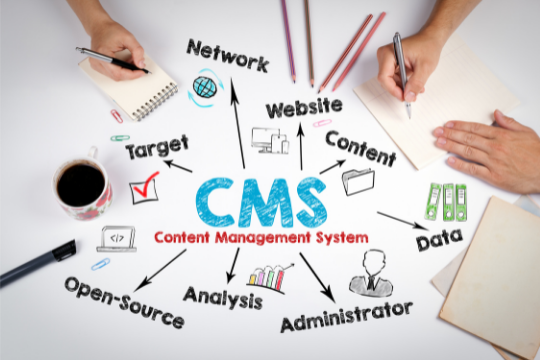
CMSWebsite management may cause you to conjure up images of geeky programmers typing away at their computers. Yes, every single website is built on code. Instead of having to worry about the code, you can pay attention to easier tasks such as creating content. Understanding what each CMS alternative offers your business and what your team requires from a CMS is the first step in choosing the best option.



What Is a Content Management System? How Does It Work?


An online content management system (CMS) provides users with the ability to create, edit, publish, and store digital content. In general, CMSes are used to manage enterprise content (ECM) and web content (WCM) respectively.

How does that work? Although your site’s management will differ depending on the content management system you choose, usually, you will have a dashboard from which you can manage all the important aspects.

CMSes provide graphical user interfaces for creating, editing, and publishing content without needing to write code.

CMS applications consist of two parts: content management applications (CMAs) and content delivery applications (CDAs).

  • Users of the CMA are able to design, create, edit and remove content from a website through a graphical user interface without knowing HTML.  
  • As long as the CDA component is in place, a user can take advantage of back-end services to manage content once it has been created in the CMA.


Advantages of Implementing a CMS


An effective content management system can have several benefits, such as:


  • User-friendly. Users who have no technical knowledge can operate the software thanks to its graphical user interface.
  • Search information easily. Using the search function, a list of items is returned to the user based on what they search for – just like with Google.
  • Manage content easily. The process of removing content is just as simple as creating it. A CMS makes it easy to unpublish content to keep websites up to date.
  • Access anywhere. The content can be accessed from anywhere with a device that’s connected to the internet using a CMS.
  • Multi-user capability. When websites are updated using a CMS, old content can easily be purged. There can be a permission management feature for publications.
  • Content is updated instantly. Content management systems allow users to manage and update content in real time, rather than waiting for developers.
  • Scalable. Business owners can easily add more web pages together with a content management system as their company grows without having to hire a developer.
  • Easily updated. The update can be launched in a matter of seconds by the development team.


Custom CMS Development Services


Having answered the question of what is a content management system, let’s explore some of the most popular content management systems for websites.

You can create a website using these content management systems, which range from open source projects to hosted website builders.


1. WordPress

Content management systems such as WordPress are by far the most popular. It is estimated that over 32% of all Internet websites run on the WordPress CMS (which includes the Themeisle blog).

WordPress’ popularity can be attributed to a variety of factors. The program is free to download and use. As well as being intuitive and easy to use, it is also search engine-friendly. In addition, it is one of the most customizable platforms thanks to its thousands of themes and plugins.

Aside from its ease of use, WordPress also allows developers to modify the code to suit their needs. The basics can be learned at an easy-to-understand level, and skills can be developed as you go. Most types of websites can benefit from it. WordPress has a large community that’s willing to help you troubleshoot issues if you run into any.


2. Joomla

In terms of popularity, Joomla is second only to WordPress. This web content management system supports more than 60 languages. School sites and social networking sites will find it particularly useful since it offers comprehensive management of content.

Both the backend and frontend templates that they provide will assist you in developing a solid foundation. The many configuration options for managing user groups and users, among other features, make Joomla unique. It will also be possible to manage user consent.


3. Squarespace

You can easily create any type of website using Squarespace, a ready-to-use building platform. A website is so simple to build, even a physical store, a professional, a blogger, or an artist can do it. 

Furthermore, it is integrated with social media. 

How does it work? 

The catch is that you will have little control over your website, since it will be hosted by Squarespace servers and come with a default subdomain. Domains with custom extensions are more expensive.


Custom CMS Development Company


A CMS, or content management system, makes it possible for anyone with admin rights to publish images or content in an intuitive manner without having to know PHP. 

Websites or blogs based on CMS software are widely used by leading enterprises; this makes maintaining the blog or website easier and allows multiple users to update content, images, and products according to their assigned roles. 

The first step to building the perfect custom CMS for your business is to find a custom CMS development company that is backed by good experience. Utilizing advanced CMS tools, these firms offer highly functional websites, blogs, and custom solutions for an affordable price. As well as providing CMS developing services, they provide services to all types of businesses, from SMEs to large enterprises.


How To Choose the Best CMS for Your Website


Before deciding whether or not to invest in a CMS, an organization has to consider a wide range of factors. It’s important to always seek out simple user interfaces and search functions, including one that’s easy to use. Nevertheless, the software used by some organizations is dependent on their particular requirements.

If the organization has a dispersed geographical footprint, for example, consider its size and geographic distribution. If the CMS requires multi-language support, the administrator must understand how many users will use it and how large a support team will be needed in order to maintain operations. 

Furthermore, both administrators and end users must be aware of the amount of control they will have over the CMS. Furthermore, companies should take into account the variety of electronic data forms they use. There should be an easy way to index all forms of digital content.


Sunvera Software develops next-level software applications from start-to-finish. Schedule a free 30-minute call with us to discuss your business, or you can give us a call at (949) 284-6300.

Ready to discuss your project? Contact Us